How do I convert a QBO file to Excel?
Upload your .qbo file, let the conversion run in your browser, then download the XLSX result for use in Excel.

File converters
Convert QuickBooks QBO files to Excel or CSV in your browser, processed locally with no upload
Ahrefs Domain Rating set in type 25 Oct 2026, reset 25 Oct 2026.
| Metric | Value |
|---|---|
| Domain Rating | 28 no change since last check |
| Trust Flow | 8 no change since last check |
| Citation Flow | 27 no change since last check |
| Referring domains | 40 no change since last check |
| External backlinks | 245 no change since last check |
Ahrefs Domain Rating set in type 25 Oct 2026, reset 25 Oct 2026. Lead topic: Arts/Performing Arts (7). Majestic set 25 Oct 2026, reset 25 Oct 2026. Link data typeset by Majestic. Trust Flow, Citation Flow and Topical Trust Flow are trademarks of Majestic-12 Ltd.
| Domain age | 1 month |
|---|---|
| Registered | |
| Expires | |
| Registrar | Spaceship, Inc. |
| DNSSEC | Not signed |
A free browser-based converter that turns QuickBooks QBO and OFX bank transaction files into Excel spreadsheets or CSV tables, processing everything locally on
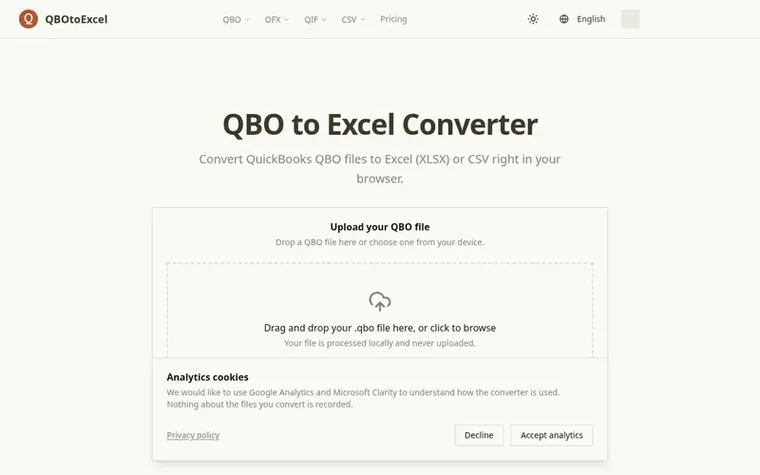
QBO to Excel Converter transforms QuickBooks QBO files and bank OFX statements into spreadsheets you can sort and analyze. Upload a .qbo file, and the converter processes it entirely in your browser, extracting transaction details like date, amount, payee, and memo into either XLSX (Excel workbook) or CSV (plain text) format.
Every conversion happens locally on your device with no upload to servers, keeping financial data private. The tool requires no QuickBooks installation and handles one file at a time. It extracts seven key fields per transaction and supports practical file sizes up to tens of thousands of transactions.
Built for bookkeeping workflows—monthly reconciliation, sending transaction records to accountants, filtering and sorting records, or passing data to other systems. A free plan offers unlimited single-file conversions, with a Pro plan planned for batch processing and priority support.
Pricing model: Free
Free for single-file conversions. Pro planned at $10/mo for batch conversion, early access to features and priority support.
See QBO to Excel Converter's full pricing (opens in a new tab)
Upload your .qbo file, let the conversion run in your browser, then download the XLSX result for use in Excel.
Yes. Your QBO file is processed locally and is not uploaded to our server.
No. The conversion runs in your browser, so you can convert without installing QuickBooks.
Date, transaction type, amount, name, memo, transaction ID, and account.
Yes, it is free to use. On a single QBO file, there is no charge.
No review of QBO to Excel Converter set in type yet. Set the first.
Reviews are free to set. None are paid for. Read the proofs
Readers' notes · Reprints · Share the page · Your company in print? Claim it · Report a misprint
QBO to Excel Converter has a free listing. The owner can unlock the full profile with a paid launch for $5:
 Shrinkpad
Native macOS app for batch compressing images and videos with complete privacy
 RGB to CMYK Converter
Professional online tool for converting RGB images to CMYK color space for printing
 Threads Video Downloader
Free tool to download Threads videos in HD without watermark
 FormatDrop
Free browser-based file converter for images, audio, video, and documents
Can we set one analytics cookie to count which pages readers flip to? Nothing is set unless you say yes. Privacy