Is this MP4 to MP3 converter free?
Yes. You can convert MP4 videos to MP3 without creating an account or installing software.

File converters
Extract MP3 audio from MP4 videos directly in your browser with no upload, no signup, and support for up to 320 kbps quality.
Ahrefs Domain Rating set in type 25 Oct 2026, reset 25 Oct 2026.
| Metric | Value |
|---|---|
| Domain Rating | 1 no change since last check |
| Trust Flow | 6 no change since last check |
| Citation Flow | 22 no change since last check |
| Referring domains | 19 no change since last check |
| External backlinks | 42 no change since last check |
Ahrefs Domain Rating set in type 25 Oct 2026, reset 25 Oct 2026. Lead topic: Recreation (6). Majestic set 25 Oct 2026, reset 25 Oct 2026. Link data typeset by Majestic. Trust Flow, Citation Flow and Topical Trust Flow are trademarks of Majestic-12 Ltd.
| Domain age | 2 months |
|---|---|
| Registered | |
| Expires | |
| Registrar | NAMECHEAP |
| DNSSEC | Not signed |
Extract MP3 audio from MP4 videos directly in your browser with no upload, no signup, and support for up to 320 kbps quality.
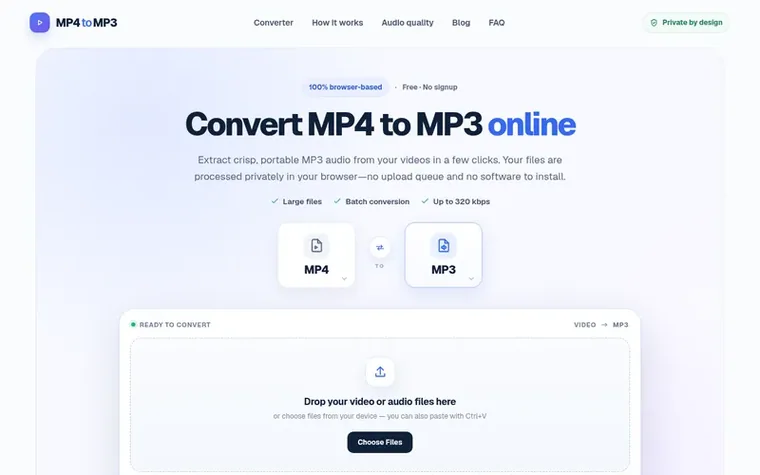
MP4toMP3 is a free, browser-based converter that extracts MP3 audio from MP4 videos without uploading files to a server. The conversion runs locally on your device, keeping your files private and eliminating the need for signup or software installation.
The tool supports multiple input and output formats including MP4, MOV, MKV, WebM and more, converting to MP3, WAV, Ogg, FLAC, AAC and other audio formats. Users can choose from three bitrate options—128 kbps for speech, 192 kbps for general listening, and 320 kbps for music—and batch convert multiple files at once.
MP4toMP3 works on any device with a modern browser including Windows, Mac, iPhone, iPad and Android. The interface includes trimming functionality to extract specific time ranges and metadata editing for title, artist and album information.
Pricing model: Free
Yes. You can convert MP4 videos to MP3 without creating an account or installing software.
No. The conversion runs locally in your browser, so your files stay on your device and are not stored on the servers.
Yes. You can add multiple MP4 videos to the queue and download the finished MP3 files when processing is complete.
Use 128 kbps for speech, 192 kbps for general listening and 256–320 kbps for music. The ideal setting depends on the source audio.
Yes. Open the converter in a supported mobile browser, choose a video and save the converted MP3 when it is ready.
No review of MP4toMP3 set in type yet. Set the first.
Reviews are free to set. None are paid for. Read the proofs
Readers' notes · Reprints · Share the page · Your company in print? Claim it · Report a misprint
MP4toMP3 has a free listing. The owner can unlock the full profile with a paid launch for $5:
 Shrinkpad
Native macOS app for batch compressing images and videos with complete privacy
 RGB to CMYK Converter
Professional online tool for converting RGB images to CMYK color space for printing
 Threads Video Downloader
Free tool to download Threads videos in HD without watermark
 FormatDrop
Free browser-based file converter for images, audio, video, and documents
Can we set one analytics cookie to count which pages readers flip to? Nothing is set unless you say yes. Privacy