Ahrefs Domain Rating set in type 25 Oct 2026, reset 25 Oct 2026.
HEIC.AI metrics
Set in type for heic.ai: Ahrefs Domain Rating and Majestic link data, with the change since the last edition.
Metric
Value
Domain Rating
2● no change since last check
Trust Flow
6● no change since last check
Citation Flow
26● no change since last check
Referring domains
34● no change since last check
External backlinks
299● no change since last check
Ahrefs Domain Rating set in type 25 Oct 2026, reset 25 Oct 2026. Lead topic: Games/Video Games/Developers and Publishers (6). Majestic set 25 Oct 2026, reset 25 Oct 2026. Link data typeset by Majestic. Trust Flow, Citation Flow and Topical Trust Flow are trademarks of Majestic-12 Ltd.
HEIC.AI domain colophon
From the registry's public RDAP record, checked 25 Oct 2026, 17:53 UTC.
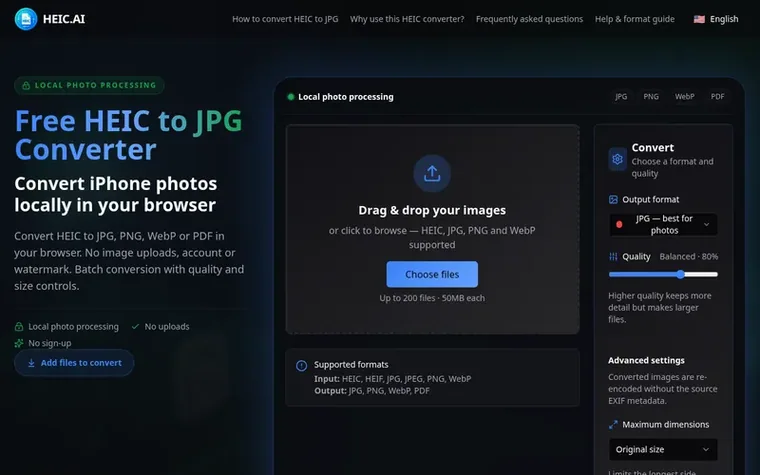
Browser-based tool to convert HEIC photos to JPG, PNG, WebP or PDF with batch processing, all on your device without uploads or accounts.
The story so far
Homepage of HEIC.AI
HEIC.AI is a browser-based image conversion tool that converts HEIC and HEIF photos to JPG, PNG, WebP, or PDF formats. All conversion happens locally on your device using your browser - images are never uploaded to servers or stored anywhere, ensuring complete privacy. The tool supports batch conversion of up to 200 files at a time with adjustable quality settings and dimension controls. It works on iPhone, Mac, Windows, and Android without requiring any account or downloads.
Typeset features
Batch conversion of up to 200 files at a time
Quality slider for lossy encoding control
Multiple output formats: JPG, PNG, WebP, PDF
Maximum dimension limiting while keeping aspect ratio
HEIC (High Efficiency Image Container) is the format iPhones use by default. It saves space, but many websites, apps, and Windows programs cannot open .heic files. Converting to JPG or PNG makes your photos work everywhere.
Are my photos private?
Yes. Conversion runs entirely on your device using your browser. Your images are never sent to a server or stored anywhere, which makes this one of the most private ways to convert HEIC files.
Which formats can I convert to?
Convert HEIC or HEIF to JPG, PNG, WebP, or PDF. JPG, PNG, and WebP inputs are also supported; PDF output creates one PDF per image.
Is there a file size or number limit?
You can convert up to 200 files at a time, with a maximum of 50MB per file. These limits keep conversion smooth in the browser.
Do I need an account?
No. There is no sign-up, login, or personal information required. Open the page and start converting right away.
Leave a review for HEIC.AI
No review of HEIC.AI set in type yet. Set the first.

 Shrinkpad
 RGB to CMYK Converter
 Threads Video Downloader
 FormatDrop