Are my GIFs uploaded?
No. The GIF Compressor runs in your browser, so selected GIFs are not uploaded to servers. Refreshing the page clears the current file and preview URLs.

File converters
Compress animated GIFs in your browser without uploading
Ahrefs Domain Rating set in type 25 Oct 2026, reset 25 Oct 2026.
| Metric | Value |
|---|---|
| Domain Rating | 8 no change since last check |
| Trust Flow | 5 no change since last check |
| Citation Flow | 21 no change since last check |
| Referring domains | 24 no change since last check |
| External backlinks | 60 no change since last check |
Ahrefs Domain Rating set in type 25 Oct 2026, reset 25 Oct 2026. Lead topic: Computers/Software/Operating Systems (5). Majestic set 25 Oct 2026, reset 25 Oct 2026. Link data typeset by Majestic. Trust Flow, Citation Flow and Topical Trust Flow are trademarks of Majestic-12 Ltd.
| Domain age | 4 months |
|---|---|
| Registered | |
| Expires | |
| Registrar | Spaceship, Inc. |
| DNSSEC | Not signed |
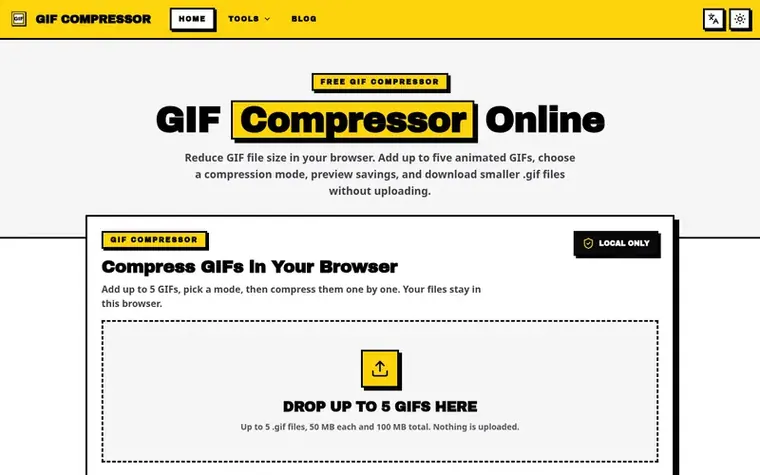
GIF Compressor Online is a free utility for reducing animated GIF file size without uploading to servers. Users add up to five GIFs (up to 50 MB each, 100 MB total), choose between default compression for quality-size balance or smallest size for maximum reduction, and preview results before downloading. The tool offers two lossy compression modes on the homepage and a lossless mode on the GIF Optimizer page. All processing happens locally in the browser, keeping files private. Output remains as animated .gif files with animation preserved. Results vary by GIF content; the tool reports actual output size and savings rather than promising a fixed compression ratio.
Pricing model: Free
No. The GIF Compressor runs in your browser, so selected GIFs are not uploaded to servers. Refreshing the page clears the current file and preview URLs.
You can add up to five GIFs at once. Each GIF can be up to 50 MB, and the whole batch can be up to 100 MB because long animations use substantial browser memory.
Yes. The result stays as a .gif file, so animation is preserved. The GIF Compressor does not convert uploads to WebP, MP4, or WebM.
Use Default compression for a practical quality-size balance, or Smallest size when you can accept more visible quality loss. For lossless optimization, use the GIF Optimizer page.
The two homepage modes can reduce subtle detail, especially in complex gradients or video-like GIFs. The GIF Optimizer offers lossless optimization to preserve visual quality. Preview the original and result before downloading.
No review of GIF Compressor Online set in type yet. Set the first.
Reviews are free to set. None are paid for. Read the proofs
Readers' notes · Reprints · Share the page · Your company in print? Claim it · Report a misprint
GIF Compressor Online has a free listing. The owner can unlock the full profile with a paid launch for $5:
 Shrinkpad
Native macOS app for batch compressing images and videos with complete privacy
 RGB to CMYK Converter
Professional online tool for converting RGB images to CMYK color space for printing
 Threads Video Downloader
Free tool to download Threads videos in HD without watermark
 FormatDrop
Free browser-based file converter for images, audio, video, and documents
Can we set one analytics cookie to count which pages readers flip to? Nothing is set unless you say yes. Privacy