Are my files uploaded anywhere?
No. Every tool runs inside your browser tab using your device's own processor and codecs. There is no upload server, and the header counter showing bytes sent stays at zero throughout the conversion.

File converters
Convert, compress and edit images, video and audio in your browser without uploading files
Ahrefs Domain Rating set in type 25 Oct 2026, reset 25 Oct 2026.
| Metric | Value |
|---|---|
| Domain Rating | 1 no change since last check |
| Trust Flow | 7 no change since last check |
| Citation Flow | 24 no change since last check |
| Referring domains | 13 no change since last check |
| External backlinks | 67 no change since last check |
Ahrefs Domain Rating set in type 25 Oct 2026, reset 25 Oct 2026. Lead topic: Shopping/Directories (6). Majestic set 25 Oct 2026, reset 25 Oct 2026. Link data typeset by Majestic. Trust Flow, Citation Flow and Topical Trust Flow are trademarks of Majestic-12 Ltd.
| Domain age | 1 month |
|---|---|
| Registered | |
| Expires | |
| Registrar | NameCheap, Inc. |
| DNSSEC | Not signed |
A browser-based file converter for images, video and audio that processes files on your device without uploading them to servers.
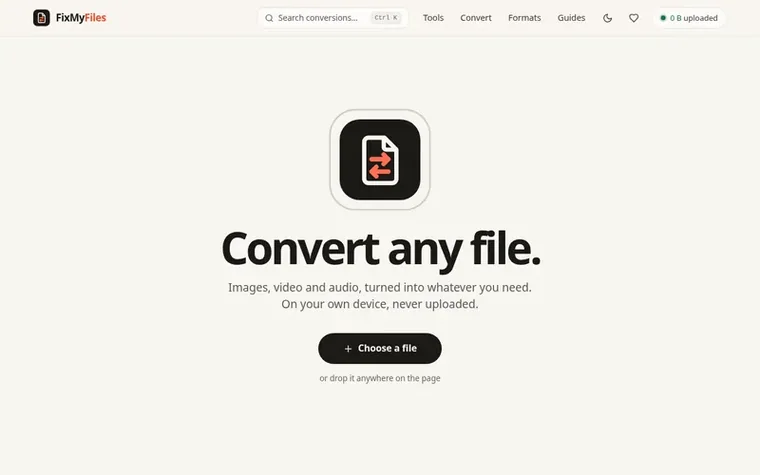
FixMyFiles is a file conversion tool that runs entirely in your web browser. It converts, compresses, trims and edits images, video and audio files using your device's own processors and codecs, with no upload to external servers. The tool includes 68 working tools across 420 conversion pairings, handles unlimited file sizes up to your device's memory capacity, and works offline after initial load. There are no accounts, watermarks, daily limits or ads.
Every conversion operation runs inside your browser tab using native browser codecs for standard formats and FFmpeg compiled to WebAssembly for older or complex formats. You select a file, choose the desired output format or size limit (with presets for Gmail, WhatsApp and Discord), and the converted file downloads directly to your device. The original file never leaves your computer.
The service is free with no monetization, no ads and no data collection beyond anonymous usage statistics. It costs almost nothing to run because it consists of static files and relies entirely on your device's processing power rather than server infrastructure.
Pricing model: Free
Free with no limits, no watermark and no account required
No. Every tool runs inside your browser tab using your device's own processor and codecs. There is no upload server, and the header counter showing bytes sent stays at zero throughout the conversion.
Yes, completely free with no sign-up, watermark or daily usage caps. Your device does the conversion work, so there is no server cost to pass on to you.
No fixed limit. The ceiling is your device's own memory capacity, so large files like 4K videos process faster on laptops than phones, but nothing is rejected for being too big.
Yes, once a page has loaded. Some heavy formats require a one-time engine download when first used, which the page notifies you about, and after that everything works offline including from your browser cache.
Type your size limit or tap common presets like Gmail (25 MB), WhatsApp (16 MB) or Discord (20 MB) under the size box. The tool works backwards from that limit instead of asking you to guess quality settings.
No review of FixMyFiles set in type yet. Set the first.
Reviews are free to set. None are paid for. Read the proofs
Readers' notes · Reprints · Share the page · Your company in print? Claim it · Report a misprint
FixMyFiles has a free listing. The owner can unlock the full profile with a paid launch for $5:
 Shrinkpad
Native macOS app for batch compressing images and videos with complete privacy
 RGB to CMYK Converter
Professional online tool for converting RGB images to CMYK color space for printing
 Threads Video Downloader
Free tool to download Threads videos in HD without watermark
 FormatDrop
Free browser-based file converter for images, audio, video, and documents
Can we set one analytics cookie to count which pages readers flip to? Nothing is set unless you say yes. Privacy