Can you change a photo from 72 DPI to 300 DPI?
Yes. You can pick 300, add the photo and press Convert DPI to rewrite the label. The pixels do not change: a 1200 x 800 photo remains 1200 x 800, it just prints smaller at 300 DPI instead of 72.
File converters
Change image DPI online, free and lossless
Ahrefs Domain Rating set in type 25 Oct 2026, reset 25 Oct 2026.
| Metric | Value |
|---|---|
| Domain Rating | 0 no change since last check |
| Trust Flow | 0 no change since last check |
| Citation Flow | 0 no change since last check |
| Referring domains | 0 no change since last check |
| External backlinks | 0 no change since last check |
Ahrefs Domain Rating set in type 25 Oct 2026, reset 25 Oct 2026. Majestic set 25 Oct 2026, reset 25 Oct 2026. Link data typeset by Majestic. Trust Flow, Citation Flow and Topical Trust Flow are trademarks of Majestic-12 Ltd.
| Domain age | 2 days |
|---|---|
| Registered | |
| Expires | |
| Registrar | Cloudflare, Inc. |
| DNSSEC | Not signed |
A browser-based tool that rewrites DPI metadata in images without changing their pixels, supporting JPEG, PNG, BMP and TIFF formats.
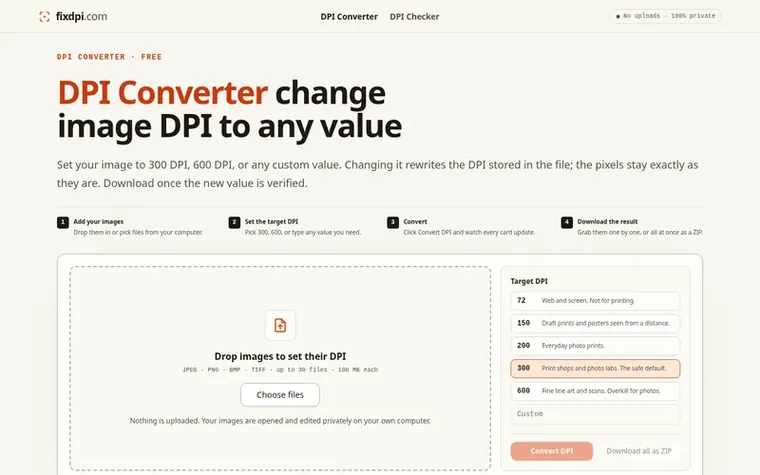
fixdpi is a free online DPI converter that lets you change the DPI value stored in image files without altering the pixels themselves. You can set images to 300 DPI, 600 DPI, or any custom value up to 2400, and the tool verifies the change before download.
The tool processes all images locally in your browser with no uploads or account required. It supports JPEG, PNG, BMP and TIFF formats with lossless editing, while WebP and AVIF files are rebuilt and HEIC is converted to PNG. GIF, ICO and SVG cannot be edited.
You can convert up to 30 images of 100 MB each in a single batch and download them together as a ZIP file. The tool reads where DPI is stored in each format (JFIF and EXIF headers for JPEG, pHYs chunk for PNG, file header for BMP, IFD tags for TIFF), rewrites only that value, and leaves all other file data untouched.
Pricing model: Free
Yes. You can pick 300, add the photo and press Convert DPI to rewrite the label. The pixels do not change: a 1200 x 800 photo remains 1200 x 800, it just prints smaller at 300 DPI instead of 72.
No. By default the converter only changes the DPI label and never redraws or recompresses your image, so the quality is identical. Quality only changes if you resize the picture to add or remove pixels.
No. Everything runs on your own computer in the browser, so your images are never sent to a server. You can turn off your internet after the page loads and still convert.
JPEG, PNG, BMP and TIFF are edited without touching the picture data. WebP and AVIF can be opened but are rebuilt when DPI changes. HEIC is converted to PNG. GIF, ICO and SVG cannot have their DPI edited.
Yes: there is no account, no watermark and no expiring trial. The only limit is batch size: up to 30 images of 100 MB each, converted in one go and downloadable as a single ZIP.
No review of fixdpi set in type yet. Set the first.
Reviews are free to set. None are paid for. Read the proofs
Readers' notes · Reprints · Share the page · Your company in print? Claim it · Report a misprint
fixdpi has a free listing. The owner can unlock the full profile with a paid launch for $5:
 Shrinkpad
Native macOS app for batch compressing images and videos with complete privacy
 RGB to CMYK Converter
Professional online tool for converting RGB images to CMYK color space for printing
 Threads Video Downloader
Free tool to download Threads videos in HD without watermark
 FormatDrop
Free browser-based file converter for images, audio, video, and documents
Can we set one analytics cookie to count which pages readers flip to? Nothing is set unless you say yes. Privacy