Ahrefs Domain Rating set in type 25 Oct 2026, reset 25 Oct 2026.
FileMerges metrics
Set in type for filemerges.net: Ahrefs Domain Rating and Majestic link data, with the change since the last edition.
Metric
Value
Domain Rating
7● no change since last check
Trust Flow
3● no change since last check
Citation Flow
22● no change since last check
Referring domains
38● no change since last check
External backlinks
250● no change since last check
Ahrefs Domain Rating set in type 25 Oct 2026, reset 25 Oct 2026. Lead topic: Reference/Archives (3). Majestic set 25 Oct 2026, reset 25 Oct 2026. Link data typeset by Majestic. Trust Flow, Citation Flow and Topical Trust Flow are trademarks of Majestic-12 Ltd.
FileMerges domain colophon
From the registry's public RDAP record, checked 25 Oct 2026, 17:55 UTC.
Free browser-based file merging tool that processes files locally without requiring signup or installation
The story so far
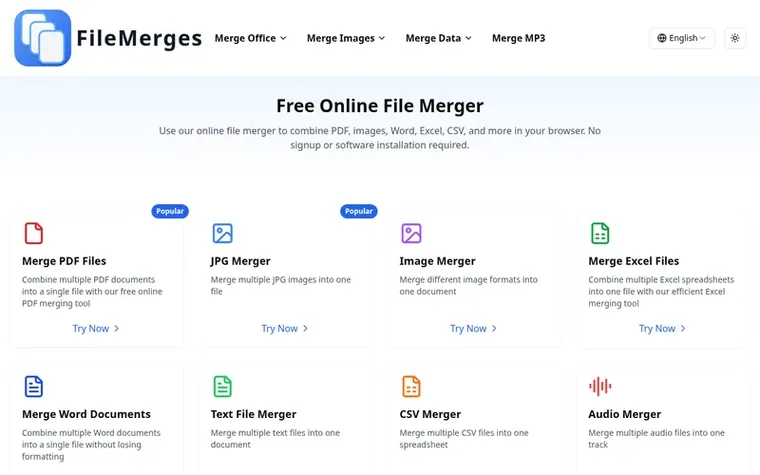
Homepage of FileMerges
FileMerges is a free online file merging platform that helps users combine different file types quickly and securely. The browser-based tools process files locally on your device, ensuring your data never leaves your computer. FileMerges supports multiple file formats including PDFs, images, Word documents, Excel spreadsheets, CSV files, MP3 audio files, JavaScript files, and plain text files.
The platform requires no registration, software installation, or file uploads to remote servers. Users can merge up to 20 files at once for most file types, with a typical maximum file size of 100MB per file. All processing happens entirely in your browser with files never stored on FileMerges' servers, maintaining complete privacy and data security.
What sets FileMerges apart from other merging tools?
FileMerges prioritizes four key aspects: privacy with all processing happening in your browser with no file upload, user-friendliness with an intuitive interface, format accuracy by maintaining document quality and format, and versatility by supporting a wide range of file types with specialized tools for each.
Is there a limit to how many files I can merge?
The free tools allow merging up to 20 files at once for most file types, with up to 20 PDFs or 20 images per operation. The maximum file size is typically 100MB per file.
Do I need to create an account to use FileMerges?
No, FileMerges is designed to be hassle-free. You can use all merging tools without registration or account creation by simply uploading your files, merging them, and downloading the result.
How does FileMerges handle privacy and security?
Privacy is the top priority. All file processing happens directly in your browser and files never leave your device. FileMerges does not store any documents on its servers, ensuring complete confidentiality.
What file types can I merge?
FileMerges supports merging many file types including PDF, JPG, PNG, Word documents, Excel spreadsheets, CSV files, MP3 audio files, JavaScript files, and plain text files.
Leave a review for FileMerges
No review of FileMerges set in type yet. Set the first.

 Shrinkpad
 RGB to CMYK Converter
 Threads Video Downloader
 FormatDrop