Is this really free?
Yes. Every converter on File Content Conversion is free with no usage limits, no watermarks, and no paid tier.

File converters
Free online file converter that runs entirely in your browser with no uploads and complete privacy
Ahrefs Domain Rating set in type 25 Oct 2026, reset 25 Oct 2026.
| Metric | Value |
|---|---|
| Domain Rating | 0 no change since last check |
| Trust Flow | 0 no change since last check |
| Citation Flow | 23 no change since last check |
| Referring domains | 8 no change since last check |
| External backlinks | 39 no change since last check |
Ahrefs Domain Rating set in type 25 Oct 2026, reset 25 Oct 2026. Majestic set 25 Oct 2026, reset 25 Oct 2026. Link data typeset by Majestic. Trust Flow, Citation Flow and Topical Trust Flow are trademarks of Majestic-12 Ltd.
| Domain age | 2 months |
|---|---|
| Registered | |
| Expires | |
| Registrar | Name.com, Inc. |
| DNSSEC | Not signed |
Browser-based file conversion tool supporting documents, spreadsheets, images and text formats with no server uploads and zero signup required.
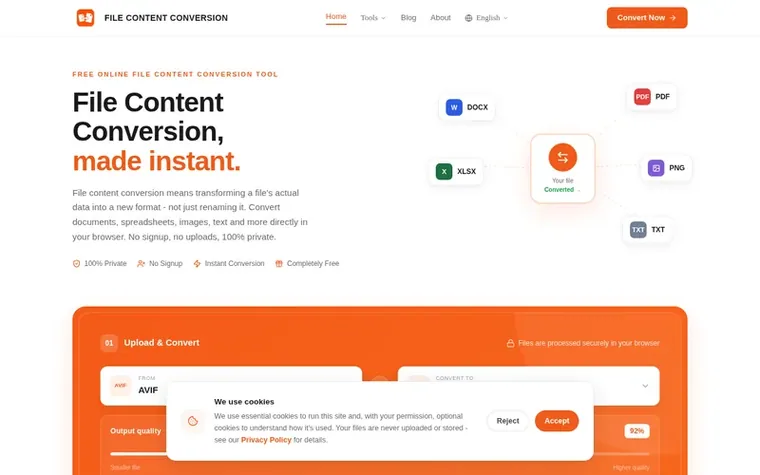
File Content Conversion is a free, privacy-focused file conversion tool that transforms files from one format to another entirely within your browser using JavaScript. The service supports conversion between 22 format pairs including documents (DOCX, PDF, TXT, HTML), spreadsheets (CSV, JSON, XLSX), images (PNG, JPG, WebP, BMP, AVIF, GIF), and text formats (Markdown, HTML). Because all conversions run client-side, files never leave your device or upload to any server, ensuring complete privacy and security. The tool requires no account, no signup, and no payment, with most conversions completing in under two seconds. It is designed for developers, data engineers, content teams, and analysts who need quick, reliable file format conversion without installing software or using online services with upload restrictions.
Completely free with no limits, no tiers, and no watermarks.
Yes. Every converter on File Content Conversion is free with no usage limits, no watermarks, and no paid tier.
File Content Conversion supports 22 conversion types across documents (DOCX, PDF, TXT, HTML), data files (CSV, JSON, XLSX), images (PNG, JPG, WebP, BMP, AVIF, GIF), and text formats (Markdown, HTML), plus image compression and OCR text extraction tools.
A text file (usually .txt) contains plain, unformatted characters with no fonts, styles, or embedded images - just raw readable text. It's the simplest file format there is, which makes it a common target when extracting content from richer formats like DOCX or HTML, or a starting point for turning notes into TXT to HTML.
Renaming a file's extension (like changing report.docx to report.html by hand) doesn't actually convert it - the data inside stays in the original format, so the file usually won't open correctly. To genuinely change formats, the file's content has to be re-encoded, which is what every converter on this page does automatically.
Drop your file into the converter above and pick a target format - that's the fastest way to create a new file in a format like HTML, JSON, CSV, or WebP without any software installed. Everything runs locally in your browser.
No review of File Content Conversion set in type yet. Set the first.
Reviews are free to set. None are paid for. Read the proofs
Readers' notes · Reprints · Share the page · Your company in print? Claim it · Report a misprint
File Content Conversion has a free listing. The owner can unlock the full profile with a paid launch for $5:
 Shrinkpad
Native macOS app for batch compressing images and videos with complete privacy
 RGB to CMYK Converter
Professional online tool for converting RGB images to CMYK color space for printing
 Threads Video Downloader
Free tool to download Threads videos in HD without watermark
 FormatDrop
Free browser-based file converter for images, audio, video, and documents
Can we set one analytics cookie to count which pages readers flip to? Nothing is set unless you say yes. Privacy