Ahrefs Domain Rating set in type 25 Oct 2026, reset 25 Oct 2026.
FetchBolt metrics
Set in type for fetchbolt.com: Ahrefs Domain Rating and Majestic link data, with the change since the last edition.
Metric
Value
Domain Rating
0● no change since last check
Trust Flow
1● no change since last check
Citation Flow
18● no change since last check
Referring domains
4● no change since last check
External backlinks
12● no change since last check
Ahrefs Domain Rating set in type 25 Oct 2026, reset 25 Oct 2026. Lead topic: Computers/Programming/Languages (1). Majestic set 25 Oct 2026, reset 25 Oct 2026. Link data typeset by Majestic. Trust Flow, Citation Flow and Topical Trust Flow are trademarks of Majestic-12 Ltd.
FetchBolt domain colophon
From the registry's public RDAP record, checked 25 Oct 2026, 14:55 UTC.
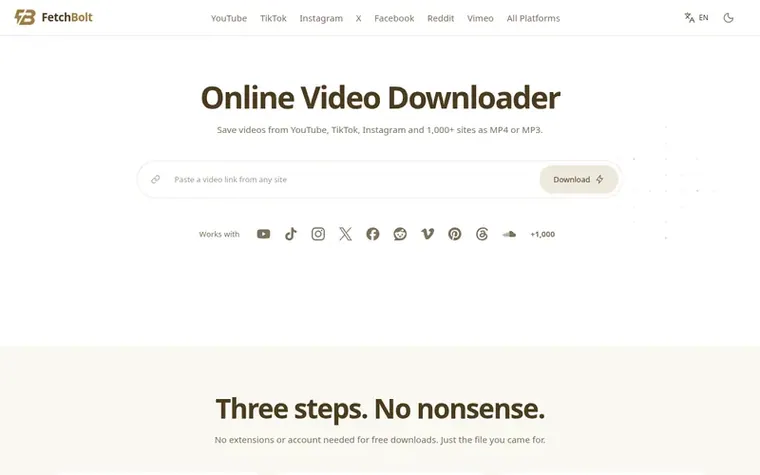
FetchBolt is a free online video downloader that works in any browser on iPhone, Android, Windows and Mac. Paste a link to a video or post and FetchBolt shows the formats and resolutions it can obtain, with free video downloads up to 1080p when available, as MP4 video or MP3 and M4A audio.
It works with YouTube, TikTok, Instagram, X, Facebook, Reddit, Vimeo and more than 1,000 other sites. The service requires no app or account and files save straight to your device. FetchBolt adds no watermark and TikTok's watermark-free version is used when available.
The downloader is built on yt-dlp, the open-source engine trusted by millions, and FFmpeg. Free downloads use temporary file storage and the service is supported by ads. Premium accounts and higher-resolution downloads are planned but not yet available.
Typeset features
Download videos up to 1080p from supported sources
Convert videos to MP3 or M4A audio
Support for 1,000+ video platforms
Download TikTok videos without watermark when available
YouTube, TikTok, Instagram, X (Twitter), Facebook, Reddit, Vimeo, Pinterest, Threads, SoundCloud, Twitch, Dailymotion and more than 1,000 other sites. If a video plays in your browser without signing in, FetchBolt can likely save it.
How do I download a video?
Copy the video's link from the app or your browser, paste it in the box on the page and press Download. Pick a quality, and the file saves to your device.
Can I download on iPhone?
Yes. Open FetchBolt in Safari, paste the link and tap Download. Files go to the Downloads folder in the Files app, and you can save videos to Photos from there.
Is FetchBolt free?
Yes. FetchBolt is free to use with no sign-up and no download limits for normal use. It is supported by ads.
Do I need to install anything?
No. FetchBolt runs in your browser on iPhone, Android, Windows, Mac and Linux.
Leave a review for FetchBolt
No review of FetchBolt set in type yet. Set the first.

 Shrinkpad
 RGB to CMYK Converter
 Threads Video Downloader
 FormatDrop