Is BankStatementHub free?
Yes. It's free while in early access, with no signup required. Each conversion can include up to 10 pages.
File converters
Free bank statement converter: PDF to Excel, CSV, QuickBooks, Xero, Quicken and OFX
Ahrefs Domain Rating set in type 25 Oct 2026, reset 25 Oct 2026.
| Metric | Value |
|---|---|
| Domain Rating | 3 no change since last check |
| Trust Flow | 7 no change since last check |
| Citation Flow | 16 no change since last check |
| Referring domains | 3 no change since last check |
| External backlinks | 22 no change since last check |
Ahrefs Domain Rating set in type 25 Oct 2026, reset 25 Oct 2026. Lead topic: Computers/Software/Operating Systems (6). Majestic set 25 Oct 2026, reset 25 Oct 2026. Link data typeset by Majestic. Trust Flow, Citation Flow and Topical Trust Flow are trademarks of Majestic-12 Ltd.
| Domain age | 18 days |
|---|---|
| Registered | |
| Expires | |
| Registrar | NameCheap, Inc. |
| DNSSEC | Not signed |
Convert PDF bank and credit card statements into Excel, CSV, QuickBooks, Xero, Quicken, QIF or OFX with automatic row verification.
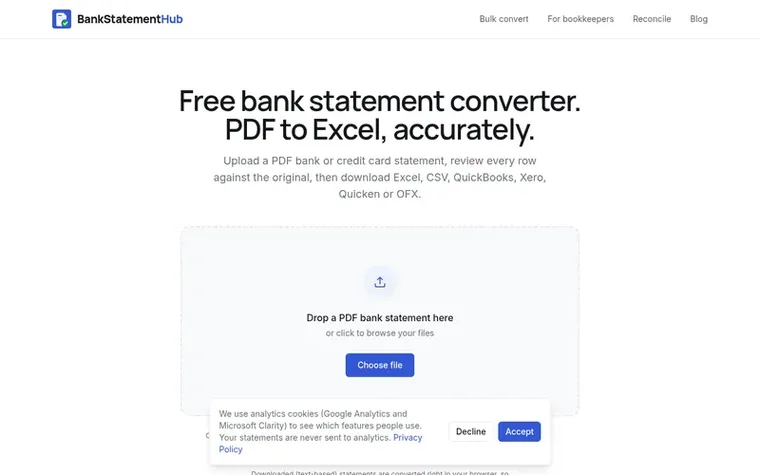
BankStatementHub converts PDF bank and credit card statements into spreadsheets and accounting software formats. Upload a PDF statement, review each row against the original, and export to Excel, CSV, QuickBooks, Xero, Quicken, QIF or OFX. Text-based statements are converted in your browser without uploading; scanned and password-protected PDFs are processed online. Every row is checked against the statement's running balance where available, with mismatches highlighted for review.
Pricing model: Free
Free during early access. The service may introduce paid plans in the future.
Yes. It's free while in early access, with no signup required. Each conversion can include up to 10 pages.
BankStatementHub is not tied to a fixed list of banks. Most statements are read from the PDF's text by their column layout, and scanned ones are read as images, so most bank and credit card statements work.
Text-based statements from online banking are converted in your browser and never leave your computer. Scanned statements and layouts that can't be read in the browser are processed in memory on the server and discarded. Nothing is kept and data is never sold.
Yes. Scanned statements work because each page is read as an image. Password-protected PDFs can be read; you'll be asked for the password, which is used only to open the file.
When the statement prints a running balance, every row is checked and mismatches are highlighted. Automated extraction can still make mistakes, so review the result before using it for accounting or tax.
No review of BankStatementHub set in type yet. Set the first.
Reviews are free to set. None are paid for. Read the proofs
Readers' notes · Reprints · Share the page · Your company in print? Claim it · Report a misprint
BankStatementHub has a free listing. The owner can unlock the full profile with a paid launch for $5:
 Shrinkpad
Native macOS app for batch compressing images and videos with complete privacy
 RGB to CMYK Converter
Professional online tool for converting RGB images to CMYK color space for printing
 Threads Video Downloader
Free tool to download Threads videos in HD without watermark
 FormatDrop
Free browser-based file converter for images, audio, video, and documents
Can we set one analytics cookie to count which pages readers flip to? Nothing is set unless you say yes. Privacy