Ahrefs Domain Rating set in type 25 Oct 2026, reset 25 Oct 2026.
Arazio metrics
Set in type for arazioformac.com: Ahrefs Domain Rating and Majestic link data, with the change since the last edition.
Metric
Value
Domain Rating
6● no change since last check
Trust Flow
3● no change since last check
Citation Flow
21● no change since last check
Referring domains
19● no change since last check
External backlinks
32● no change since last check
Ahrefs Domain Rating set in type 25 Oct 2026, reset 25 Oct 2026. Lead topic: Computers/Software/Operating Systems (3). Majestic set 25 Oct 2026, reset 25 Oct 2026. Link data typeset by Majestic. Trust Flow, Citation Flow and Topical Trust Flow are trademarks of Majestic-12 Ltd.
Arazio domain colophon
From the registry's public RDAP record, checked 25 Oct 2026, 14:51 UTC.
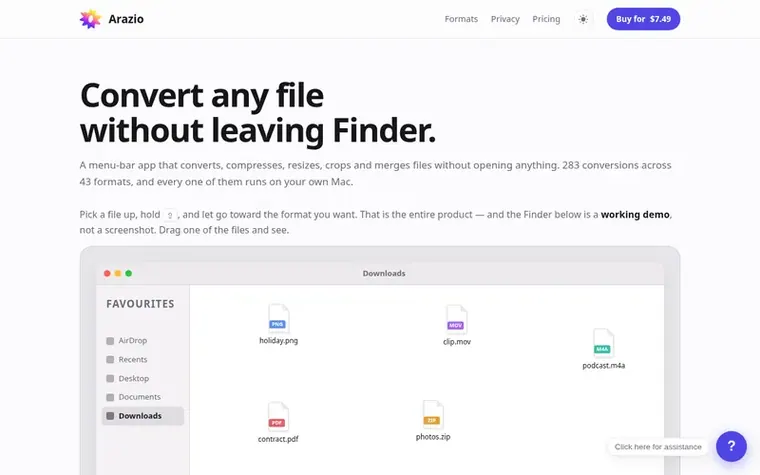
A macOS menu-bar app that converts, compresses, resizes, crops and merges files without opening anything, with 283 conversions across 43 formats running locally
The story so far
Homepage of Arazio
Arazio is a macOS menu-bar utility that lets you convert files directly from Finder. Pick up a file, hold Shift to see conversion formats or Option to access tools, then release to convert. It supports 283 conversions across 43 formats including images, video, audio, documents and archives, plus 14 file tools for compressing, resizing, cropping, merging and splitting files.
All conversions run locally on your Mac with no upload, no account and no internet required. The app works offline after a one-time activation check. You can batch convert entire folders at once, and files always appear next to the original without overwriting or moving anything.
Arazio is a one-time purchase with no subscription, no tiers and nothing held back. Bug fixes are free for the version you buy. The app is notarized by Apple and requires macOS 13 or later on Apple silicon Macs.
Typeset features
Convert 283 conversions across 43 formats including HEIC to JPG, MOV to MP4, WebP to PNG and more
Compress video, photos and PDFs to smaller file sizes
Resize and crop images and video without opening an app
Merge or split PDF, video and audio files
Batch convert entire folders of files at once
No upload, no account, no internet required
Works offline forever after activation
Supports 14 file tools including Compress, Resize, Crop, Trim and Split
Drag-and-drop conversion from Finder
Pricing
Pricing model: Paid
Arazio for Mac: $9.99 USD (one-time payment, launch price with 50% savings available)
No. Arazio is $9.99 once with no subscription, no tiers and nothing held back. The demo at the top of the page and the format list show what is supported, and every conversion is tested before release so you can check if you need it before paying.
How many Macs can I use it on?
One at a time, and you can move it whenever you like. Choose Move to Another Mac on the old Mac, then enter your key on the new one. If a Mac is lost or sold before you could release it, email support and the activation will be freed.
Does it work offline?
Yes, permanently after the one activation check. Conversions never touch the network because there is no networking code in the engines.
Find Arazio online
Leave a review for Arazio
No review of Arazio set in type yet. Set the first.

 Shrinkpad
 RGB to CMYK Converter
 Threads Video Downloader
 FormatDrop