How do I make my Mac screen look like paper?
Install Shoji and turn it on from the menu bar. It lays a paper texture over everything on screen, and you can pick the paper and its strength. Plain Paper is free; Shoji Pro unlocks every texture.
Mac & desktop utilities
Paper texture overlay for your Mac screen
Ahrefs Domain Rating set in type 17 Nov 2026, reset 15 Nov 2026.
A macOS menu bar app that adds a soft, realistic paper texture over your screen, making it look and feel like a matte or e-ink display instead of glossy glass.
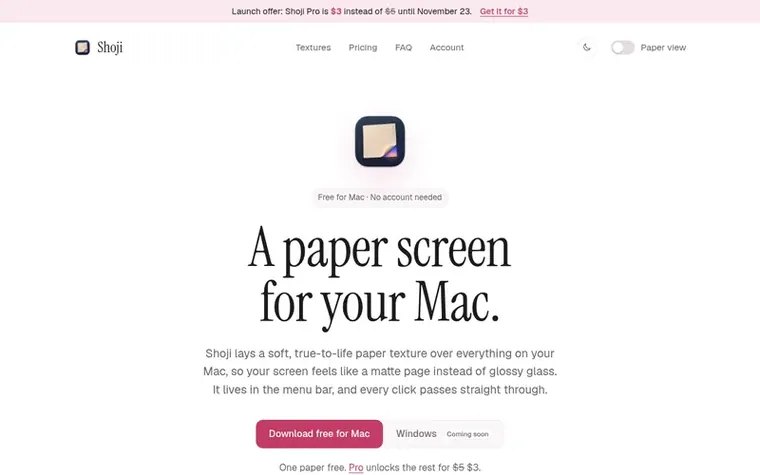
Shoji lays a soft, realistic paper texture over everything on your Mac screen, making it feel like a matte page instead of glossy glass. The app lives in the menu bar and every click passes through the texture, so nothing about your apps changes.
The free version includes Plain Paper with adjustable strength and separate tuning for light and dark mode. Shoji Pro unlocks six additional paper textures including Rice Paper, Washi, Cold Press, Parchment, Linen and Newsprint, plus future papers as they are added.
The texture is drawn once at startup and then displayed as a still image, using almost no CPU or battery. It works on MacBooks and external monitors, follows your system's light and dark mode settings, and can be paused temporarily or toggled with keyboard shortcuts.
Pricing model: Freemium
Free: Plain Paper with customizable strength and light/dark mode. Shoji Pro: $3 USD one-time purchase (launch price until November 23, regular price $5 USD). Shoji Pro unlocks all textures and can be used on up to 3 Macs with lifetime updates included.
Want to see what Shoji does next? Follow them for milestones, new products and stories by email.
| Metric | Value |
|---|---|
| Domain Rating | 4 +2 (up) since last check |
| Trust Flow | 0 no change since last check |
| Citation Flow | 0 no change since last check |
| Referring domains | 0 no change since last check |
| External backlinks | 0 no change since last check |
Ahrefs Domain Rating set in type 17 Nov 2026, reset 15 Nov 2026. Majestic set 10 Nov 2026, reset 10 Nov 2026. Link data typeset by Majestic. Trust Flow, Citation Flow and Topical Trust Flow are trademarks of Majestic-12 Ltd.
| Domain age | 10 days |
|---|---|
| Registered | |
| Expires | |
| Registrar | Porkbun |
| DNSSEC | Not signed |
Measured after Shoji went live on Zivaro Launch on 10 November 2026.
Day 7 since launch. Next receipt: day 30, 10 Dec 2026. These are measurements, not proof of cause: many things move these numbers. Figures we have not measured are left out.
Free tips from Zivaro Launch for getting ready, launch day, the week after and what to do next.
Install Shoji and turn it on from the menu bar. It lays a paper texture over everything on screen, and you can pick the paper and its strength. Plain Paper is free; Shoji Pro unlocks every texture.
It gives a similar feel without any hardware: the screen looks less glossy and more like a printed page. It doesn't change your display's refresh rate or colors the way e-ink does; it's a texture drawn on top.
No. Shoji draws the texture once when it starts and then shows it as a still image, so it uses almost no CPU or battery.
Yes. If Shoji Pro isn't for you, email us within 14 days of purchase for a full refund.
No. It only draws a texture on top. It never captures, reads or uploads what's on your screen.
No review of Shoji set in type yet. Set the first.
Reviews are free to set. None are paid for. Read the proofs
Readers' notes · Reprints · Share the page · Your company in print? Claim it · Report a misprint
Shoji has a free listing. The owner can unlock the full profile with a paid launch for $5:
 Oxid Apps
Native macOS apps built on Rust engines, designed for Apple Silicon. Pay once, no subscriptions.
 ByteSweep
Storage cleaner for Mac, Windows, iPhone and Android that shows what fills your device and removes only what you choose, with a 7-day undo and no subscription.
 Aikonic®
Live hardware monitoring for Windows with no account, cloud, or telemetry
 Display Dimmer
Free Windows brightness control for laptops and external monitors with hardware DDC/CI or software dimming