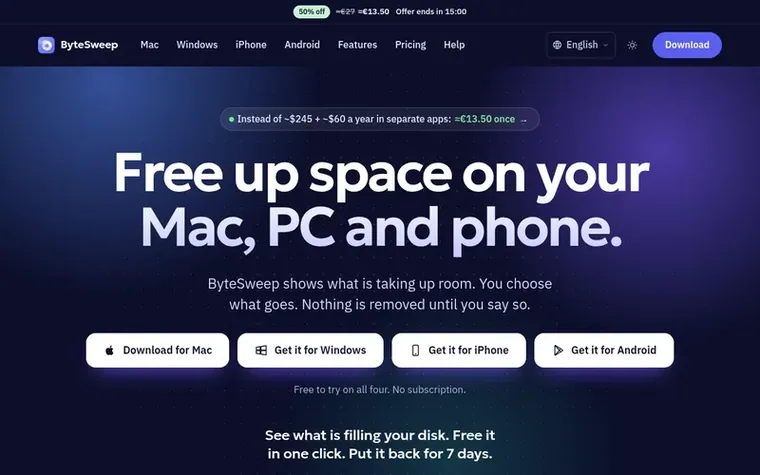
Storage cleaner for Mac, Windows, iPhone and Android that shows what fills your device and removes only what you choose, with a 7-day undo and no subscription.
Ahrefs Domain Rating set in type 25 Oct 2026, reset 25 Oct 2026.
ByteSweep metrics
Set in type for bytesweep.app: Ahrefs Domain Rating and Majestic link data, with the change since the last edition.
Metric
Value
Domain Rating
49● no change since last check
Trust Flow
9● no change since last check
Citation Flow
31● no change since last check
Referring domains
100● no change since last check
External backlinks
491● no change since last check
Ahrefs Domain Rating set in type 25 Oct 2026, reset 25 Oct 2026. Lead topic: Computers/Programming/Internet (9). Majestic set 25 Oct 2026, reset 25 Oct 2026. Link data typeset by Majestic. Trust Flow, Citation Flow and Topical Trust Flow are trademarks of Majestic-12 Ltd.
ByteSweep domain colophon
From the registry's public RDAP record, checked 25 Oct 2026, 17:50 UTC.
Storage cleaner for Mac, Windows, iPhone and Android that shows what fills your device and removes only what you choose, with a 7-day undo and no subscription.
The story so far
Homepage of ByteSweep
ByteSweep is a desktop app for macOS and Windows that finds what is filling your disk, removes it safely, and explains what your computer has been doing. It combines a disk space analyzer, a junk and cache cleaner, a duplicate finder, an app uninstaller, a startup manager, an app updater, a system monitor and a file recovery tool in one window. Every cleanup can be undone for seven days. It works offline and sends nothing about your files anywhere.
The app is also available for iPhone and Android as ByteSweep Storage Cleaner, a separate app that tidies your photo library on the phone itself. All versions are built for privacy: no account required, no telemetry, and files never leave your device.
System monitor for CPU, memory, disk, network, GPU and battery
Natural language file search (describe files in plain words)
Picture search by description, content or colour
Startup items manager and app updater
File recovery from USB, SD cards and external drives
Privacy permissions overview
Pricing
Pricing model: Paid
$29.99 once per computer for Mac or Windows. Free to download and scan for 3 days, then cleaning requires a one-time licence. iPhone and Android app is free to download with one in-app purchase to unlock features beyond the first 1 GB and 30 items.
You can try it free for 3 days: every scan, every analysis and every verdict. Cleaning, deleting and uninstalling need a licence from the start, and after the trial every page does: a one-time payment of $29.99 per computer. The iPhone app, ByteSweep Storage Cleaner, is a separate app: free to download, every feature free within your first 1 GB and 30 items, with a one-time purchase for more.
Is ByteSweep safe to use?
Yes. Every item passes through one set of safety rules that rate it safe, review first or keep. Only safe items are pre-selected, system folders and your personal folders are never touched by a rule, and every cleanup goes to a restore point you can undo for seven days.
Does ByteSweep collect my data?
No. There is no telemetry and no ByteSweep server. File names, sizes and history stay in a database on your own disk. Licence activation contacts Dodo Payments, our payment provider. The Updates module contacts only the update sources you switch on, and names each host before it does.
Can I use one key on two computers?
Each key activates one computer. Bought several? Use a different key on each computer.
Can ByteSweep recover deleted files?
Often, from USB sticks, SD cards, external drives and disk images, including formatted drives and lost partitions. On Windows it also restores from the Recycle Bin and NTFS drives. It cannot recover fragmented or overwritten files, or files deleted from a Mac's internal SSD, and it tells you which case you are in.
Leave a review for ByteSweep
No review of ByteSweep set in type yet. Set the first.
 Aikonic®
 Display Dimmer
 Cortex