Ahrefs Domain Rating set in type 17 Nov 2026, reset 5 Nov 2026.
Record your screen with automatic zoom, built-in timeline editor, and export MP4. No watermark, no account required.
The story so far
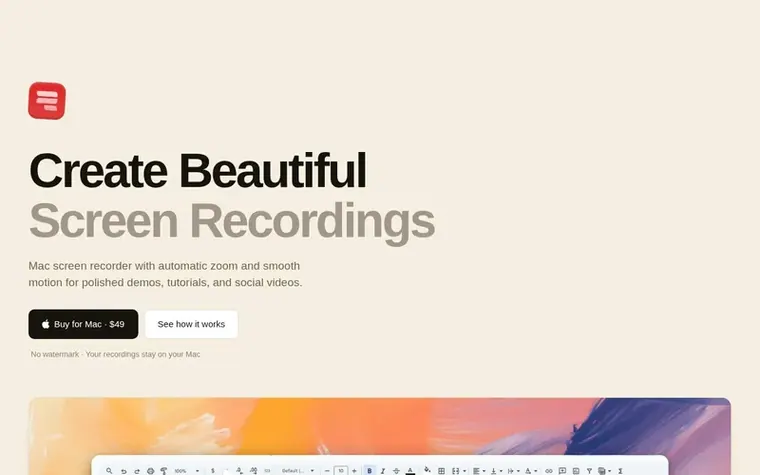
Homepage of Screen Recorder
Screen Recorder is a Mac app that captures screen recordings with automatic zoom functionality that follows the cursor. The app records your screen, cursor, camera, and voice, then opens the recording directly in a timeline editor where you can trim, split, add captions, adjust zoom levels, and export to MP4 at various resolutions. The editor includes features for adding images, video, and sound without requiring import or upload. Recordings remain on your Mac and include free on-device transcription using Whisper technology.
Typeset features
Automatic zoom that follows the cursor
Built-in timeline editor with split, crop, and zoom
Want to see what Screen Recorder does next? Follow them for milestones, new products and stories by email.
Screen Recorder metrics
Set in type for ascreenrecorder.com: Ahrefs Domain Rating and Majestic link data, with the change since the last edition.
Metric
Value
Domain Rating
4▼ −2 (down) since last check
Trust Flow
7● no change since last check
Citation Flow
14● no change since last check
Referring domains
78● no change since last check
External backlinks
104● no change since last check
Ahrefs Domain Rating set in type 17 Nov 2026, reset 5 Nov 2026. Lead topic: Shopping/Sports (1). Majestic set 3 Oct 2026, reset 3 Oct 2026. Link data typeset by Majestic. Trust Flow, Citation Flow and Topical Trust Flow are trademarks of Majestic-12 Ltd.
Screen Recorder domain colophon
Read the colophon
From the registry's public RDAP record, checked 15 Nov 2026, 05:08 UTC.
Measured after Screen Recorder went live on Zivaro Launch on 3 October 2026.
Domain Rating (Ahrefs)
4▲ +1 (up) since launch
3 at launch (3 Oct 2026), 4 on 17 Nov 2026
Trust Flow (Majestic)
7
First measured 3 Oct 2026
Referring domains (Majestic)
78
First measured 3 Oct 2026
Checkpoints
Day 302 Nov 2026DR 6 ▲ +3 (up) since launch0 visits sent
Day 45 since launch. Next receipt: day 60, 2 Dec 2026. These are measurements, not proof of cause: many things move these numbers. Figures we have not measured are left out.
Screen Recorder is a Mac app for polished screen recordings. It records your screen, cursor, camera, and voice, adds an automatic zoom that follows the cursor, and opens the recording in a timeline editor that exports an MP4.
What makes Screen Recorder different?
Screen Recorder combines screen capture, automatic zoom, an editable cursor, camera recording, free local captions, and a timeline editor in one Mac app. Your recording opens in the editor as soon as you stop, with no need to import or upload files.
How much does Screen Recorder cost?
Screen Recorder costs $49 as a one-time payment. There is no subscription, and one license key works on up to 3 Macs.
Do my recordings stay private?
Yes. Recordings stay on your Mac and are not uploaded. Screen Recorder saves them in the Movies/Screen Recorder folder.
Which Macs can run Screen Recorder?
Screen Recorder runs on Apple silicon Macs with macOS 14 or later.
Leave a review for Screen Recorder
No review of Screen Recorder set in type yet. Set the first.

 Dawny
 PeekHarbor
 itsTypo
 IdeaOracle