Ahrefs Domain Rating set in type 6 Nov 2026, reset 6 Nov 2026.
A Chrome extension that captures entire web pages in single images, including scrolling feeds, lazy-loaded images and wide tables, with annotation, PDF export
The story so far
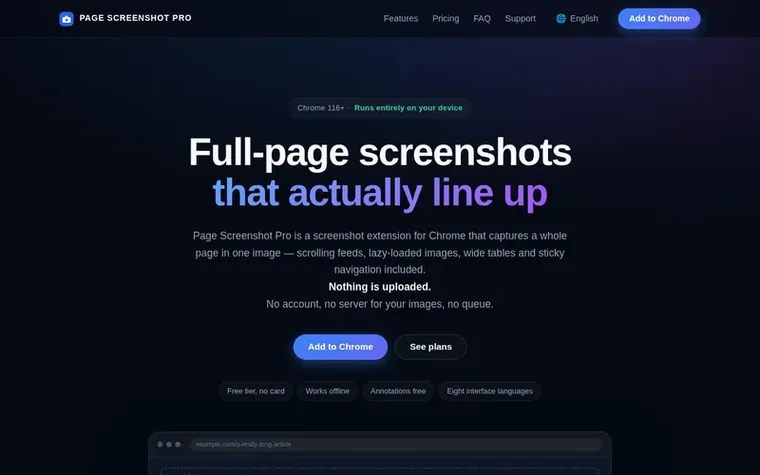
Homepage of Page Screenshot Pro
Page Screenshot Pro is a Chrome extension that captures full web pages as single images by scrolling and stitching multiple screenshots together. It handles infinite-scroll feeds, lazy-loaded images, wide tables, and sticky navigation elements. The extension includes a nine-tool annotation editor with rectangle, ellipse, arrow, pen, highlight, text, mosaic, crop and select tools, plus PDF export and OCR for Chinese and English text extraction. All processing happens locally in your browser with no uploads or cloud storage.
Typeset features
Infinite-scroll feed expansion up to 40 screens
Lazy-loaded image detection and waiting
Wide page grid capture and reassembly
Sticky header handling with seam correction
Nine-tool annotation editor
PDF export and merge
OCR text extraction for Chinese and English
MCP integration for AI clients
Local file capture support
Filename templates and folder organisation
Pricing
Pricing model: Freemium
Free: up to 20 captures per day with full annotation editor; Pro Monthly: $4.99/month with unlimited captures, element capture, PDF export, OCR and MCP access; Pro Yearly: $19.9/year (about $1.66/month); Pro Lifetime: $39.9 one-time payment.
Want to see what Page Screenshot Pro does next? Follow them for milestones, new products and stories by email.
Page Screenshot Pro metrics
Set in type for screenshotpro.agentsblockchains.com: Ahrefs Domain Rating and Majestic link data, with the change since the last edition.
Metric
Value
Domain Rating
0● no change since last check
Trust Flow
0● no change since last check
Citation Flow
0● no change since last check
Referring domains
0● no change since last check
External backlinks
0● no change since last check
Ahrefs Domain Rating set in type 6 Nov 2026, reset 6 Nov 2026. Majestic set 6 Nov 2026, reset 6 Nov 2026. Link data typeset by Majestic. Trust Flow, Citation Flow and Topical Trust Flow are trademarks of Majestic-12 Ltd.
Page Screenshot Pro domain colophon
Read the colophon
From the registry's public RDAP record, checked 6 Nov 2026, 14:50 UTC.
No. Capture, stitching, annotation, PDF export and OCR all run inside your browser. The extension has no analytics, no server for images, and only connects to the network for optional licence checks, Waffo's checkout when purchasing, and the feedback form if you submit it.
Why does the free tier stop at 20 captures a day?
The 20-capture limit is a ceiling against runaway scrolling captures, not a demo limitation. Every feature except element capture, PDF export and merge, OCR and MCP access is available on the free tier, including the entire annotation editor.
Does it work on local HTML files?
Yes, once you allow it. Open chrome://extensions, find the extension's details, and switch on "Allow access to file URLs". Chrome blocks file:// tabs from being photographed otherwise.
What happens on a page that scrolls forever?
The extension expands the feed first, then captures up to 40 screens. If it hits that cap it says so in the progress text rather than silently truncating.
Which languages does the interface speak?
English, Simplified Chinese, Traditional Chinese, Japanese, Korean, Spanish, French and German. It follows Chrome's UI language by default, and you can override it per device from the extension's own language menu.
Leave a review for Page Screenshot Pro
No review of Page Screenshot Pro set in type yet. Set the first.

 Reveal Ad Spend
 OnlyRead
 ExtBid