Are my files uploaded?
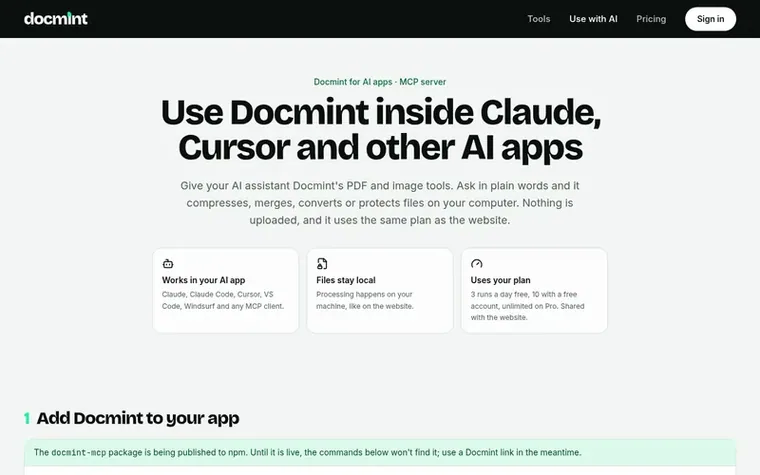
No. The Docmint MCP server runs on your computer and reads and writes files there. It only contacts the Docmint API to count runs against your plan; file contents never leave your machine.

PDF tools
Private PDF and image tools that run entirely in your browser
Ahrefs Domain Rating set in type 11 Nov 2026, reset 10 Nov 2026.
A browser-based toolkit with 28 PDF and image tools including compression, merging, splitting, signing, converting and protection—all processed locally without
Docmint is a browser-based PDF and image toolkit with 28 tools for compressing, merging, splitting, organizing, converting, signing, protecting and inspecting files. All processing happens locally on your device using WebAssembly and modern browser APIs, with no file uploads to any server.
You can use Docmint through its website or integrate it into AI applications like Claude, Cursor and VS Code using the MCP server. Files stay on your computer and processing uses the same plan across all platforms.
The free plan offers 3 runs per day without an account or 10 runs with a free account. Pro provides unlimited runs for $3.25 per month billed yearly, plus saved presets and priority support. Business plans add team seats, hosted MCP connector, custom branding and SLA support.
Pricing model: Freemium
Free: 3 runs per day without an account, 10 runs with a free account. Pro: $3.25 per month billed yearly (or $4.99 per month billed monthly). Business: $11.99 per month billed yearly (or $14.99 per month billed monthly).
Want to see what Docmint does next? Follow them for milestones, new products and stories by email.
| Metric | Value |
|---|---|
| Domain Rating | 0 no change since last check |
| Trust Flow | 0 no change since last check |
| Citation Flow | 0 no change since last check |
| Referring domains | 0 no change since last check |
| External backlinks | 0 no change since last check |
Ahrefs Domain Rating set in type 11 Nov 2026, reset 10 Nov 2026. Majestic set 10 Nov 2026, reset 10 Nov 2026. Link data typeset by Majestic. Trust Flow, Citation Flow and Topical Trust Flow are trademarks of Majestic-12 Ltd.
| Domain age | 1 year |
|---|---|
| Registered | |
| Expires | |
| Registrar | GoDaddy.com, LLC |
| DNSSEC | Not signed |
Measured after Docmint went live on Zivaro Launch on 10 November 2026.
Day 1 since launch. Next receipt: day 30, 10 Dec 2026. These are measurements, not proof of cause: many things move these numbers. Figures we have not measured are left out.
Free tips from Zivaro Launch for getting ready, launch day, the week after and what to do next.
No. The Docmint MCP server runs on your computer and reads and writes files there. It only contacts the Docmint API to count runs against your plan; file contents never leave your machine.
Runs count exactly like on the website, from the same daily allowance: 3 runs a day without an account, 10 with a free account, and unlimited on Pro. A run is one file through one tool.
All 28 website tools are available: compress, merge, split, rotate, delete pages, organize, crop, resize, N-up, watermark, page numbers, sign, edit metadata, protect, unlock, flatten, grayscale, PDF to images, images to PDF, text to PDF, OCR, extract text, compare, inspect and the image tools.
Yes, as a link helper. Add https://docmint.io/api/mcp as a custom connector in Claude.ai or ChatGPT with no sign-in required. It finds the right Docmint tool and gives you a link with settings filled in; you drop the file in and it is processed in your browser.
Yes. If you are not happy within the first 14 days, you will receive a full refund.
No review of Docmint set in type yet. Set the first.
Reviews are free to set. None are paid for. Read the proofs
Readers' notes · Reprints · Share the page · Your company in print? Claim it · Report a misprint
Docmint has a free listing. The owner can unlock the full profile with a paid launch for $5:
 PDFLE
Browser-based viewers and converters for documents, 3D models, images and ebooks
 PhotoPDF Photo to PDF Converter
Batch convert, merge, and index photos into professional PDF documents
 PDF Measure
Measure PDF plans in your browser
 BytesPDF
Merge, compress and edit PDFs in your browser without uploading