Ahrefs Domain Rating set in type 25 Oct 2026, reset 25 Oct 2026.
useChrono metrics
Set in type for usechrono.com: Ahrefs Domain Rating and Majestic link data, with the change since the last edition.
Metric
Value
Domain Rating
14● no change since last check
Trust Flow
5● no change since last check
Citation Flow
22● no change since last check
Referring domains
14● no change since last check
External backlinks
64● no change since last check
Ahrefs Domain Rating set in type 25 Oct 2026, reset 25 Oct 2026. Lead topic: Computers/Software/Operating Systems (5). Majestic set 25 Oct 2026, reset 25 Oct 2026. Link data typeset by Majestic. Trust Flow, Citation Flow and Topical Trust Flow are trademarks of Majestic-12 Ltd.
useChrono domain colophon
From the registry's public RDAP record, checked 25 Oct 2026, 21:50 UTC.
A date-aware timezone utility that converts times, compares working-hour overlap between two locations, and generates shareable meeting windows with calendar
The story so far
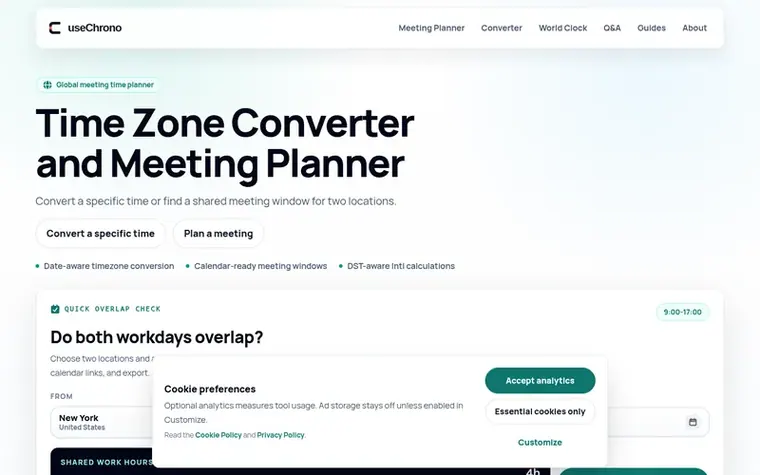
Homepage of useChrono
useChrono is a free timezone utility that helps remote teams find meeting times that work across different locations. It converts times between any two timezones, accounts for daylight-saving rules using IANA timezone data, and shows date rollover to clarify when conversions span calendar boundaries.
The meeting planner identifies shared working-hour windows for two locations, accounting for selected meeting duration and working-hour ranges for each region. Users can generate calendar-ready meeting slots that export to Google Calendar or ICS format without requiring an account or storing personal scheduling history.
The tool emphasizes accuracy verification for critical deadlines and relies on the browser's internationalization API to apply current timezone rules, including seasonal offsets. It includes a world clock display for current times across 86 cities and provides educational guides on timezone abbreviations, daylight-saving transitions, and cross-region scheduling challenges.
Typeset features
Date-aware timezone conversion with calendar date selection
Working-hour overlap comparison for two locations
Daylight-saving and international calculation handling
Calendar export to Google Calendar and ICS formats
World clock displaying 86 cities with current times
Date rollover indication for cross-timezone conversions
Adjustable meeting duration and working-hour ranges
What is the difference between the converter, meeting planner, and world clock?
The converter is used when you already have a date and time and need the matching local time elsewhere. The meeting planner is for when two people need a slot inside selected working hours. The world clock is for a live scan of current local times and workday status across several cities.
Do I need an account to use useChrono?
No. The public converter, meeting planner, world clock, guides, and timezone answers work without registration. useChrono does not currently provide saved calendars, attendee accounts, or a private scheduling history.
Does useChrono account for daylight saving time?
Yes. useChrono uses IANA timezone identifiers through the platform Intl API, so a selected city receives the seasonal offset that applies on the chosen date. However, governments can change daylight-saving laws, so verify mission-critical times in the responsible calendar or source system.
How does useChrono calculate working-hour overlap?
The meeting planner converts each location's selected workday into the same timeline for the chosen date, then finds the shared interval long enough for the requested meeting duration. It does not know holidays, individual availability, or company policy.
Can I rely on useChrono for a critical deadline?
Use useChrono to check and communicate a time, but verify legal filings, medical events, travel, payroll, trading sessions, launches, and other high-impact deadlines in the authoritative system responsible for them, as timezone laws and calendar behavior can change beyond the site's control.
Leave a review for useChrono
No review of useChrono set in type yet. Set the first.

 MeetETA
 WhenItWorks
 Everest