Ahrefs Domain Rating set in type 25 Oct 2026, reset 25 Oct 2026.
TextKits metrics
Set in type for textkits.org: Ahrefs Domain Rating and Majestic link data, with the change since the last edition.
Metric
Value
Domain Rating
39● no change since last check
Trust Flow
8● no change since last check
Citation Flow
35● no change since last check
Referring domains
111● no change since last check
External backlinks
2,432● no change since last check
Ahrefs Domain Rating set in type 25 Oct 2026, reset 25 Oct 2026. Lead topic: Reference/Archives (7). Majestic set 25 Oct 2026, reset 25 Oct 2026. Link data typeset by Majestic. Trust Flow, Citation Flow and Topical Trust Flow are trademarks of Majestic-12 Ltd.
TextKits domain colophon
From the registry's public RDAP record, checked 25 Oct 2026, 13:50 UTC.
Enter text once and compare copy-ready fancy fonts, weird text, utility formats, and visual text previews from browser-based tools.
The story so far
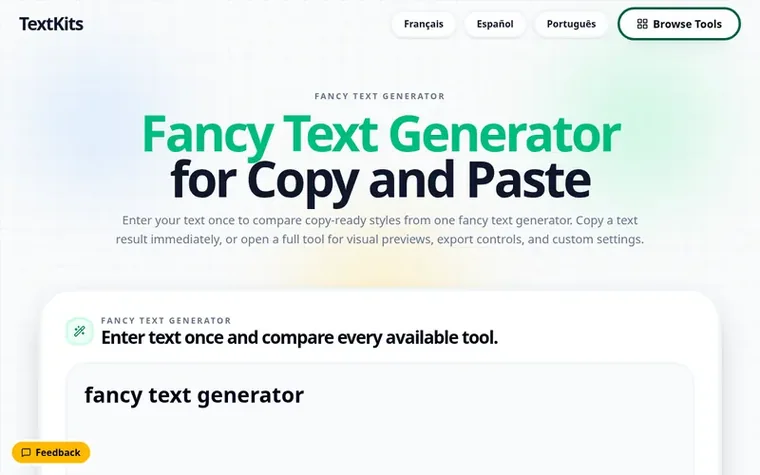
Homepage of TextKits
TextKits is a collection of browser-based tools for creating, transforming, and formatting text. Users can enter text once to compare stylized Unicode text, glitch effects, repeated text, ASCII art, Discord ANSI text, symbols, and visual text previews. Text results can be copied immediately or opened in full tools for visual previews, export controls, and custom settings.
The tools create fancy fonts, weird text, utility formats, and display previews across categories like bold, italic, cursive, tiny, boxed, decorative lettering, and visual effects. Users can copy results directly or open dedicated tools when they need repeat counts, separators, ANSI colors, ASCII fonts, canvas positioning, or image and GIF export options.
No account is required to use the public tools. TextKits allows users to inspect results and verify them before copying or downloading for use elsewhere.
Typeset features
Compare multiple text styles in one input
Unicode character styles including bold, italic, cursive, tiny, and boxed text
Glitch and distorted text effects
ASCII art generation
Immediate copy functionality for text results
Advanced settings for repeat counts, separators, and colors
What can I make with the TextKits fancy text generator?
The fancy text generator lets you enter one phrase to compare stylized Unicode text, glitch effects, repeated text, ASCII art, Discord ANSI text, symbols, and visual text previews. Text results can be copied when a copy control is available; visual or export-based results open in their full tool for finishing.
How do I create text I can copy and paste?
Type your words into the fancy text generator, then select Generate fancy text. Browse the result feed, then use the copy control beside a text result you want to keep. Paste it into the destination app and check the letters, spacing, line breaks, and symbols before publishing.
Are these styles fonts or Unicode characters?
Many copy-ready styles in a fancy text generator use Unicode characters that resemble bold, italic, cursive, tiny, boxed, or decorative lettering. They do not install a font on your device. Other TextKits results, including ASCII, ANSI, repeated text, and image-based previews, use different output methods.
Will copied fancy text work in every app?
Not always. Character support and font fallback vary by app, browser, device, and input field. Unsupported characters may appear as empty boxes or be rejected, so test the pasted result where you plan to use it and keep a plain-text version for important information.
Which fancy text styles are easiest to read?
Simple bold, italic, or monospace Unicode styles are usually easier to scan than stacked glitch text or symbol-heavy effects. Use highly decorative styles for short names or headings, and choose a simpler version for long text, small screens, or information that must remain clear.
Leave a review for TextKits
No review of TextKits set in type yet. Set the first.

 Copy Paste Fonts
 FancifyText