Ahrefs Domain Rating set in type 25 Oct 2026, reset 25 Oct 2026.
Imagen a Texto App metrics
Set in type for imagenatexto.app: Ahrefs Domain Rating and Majestic link data, with the change since the last edition.
Metric
Value
Domain Rating
17● no change since last check
Trust Flow
12● no change since last check
Citation Flow
33● no change since last check
Referring domains
73● no change since last check
External backlinks
1,688● no change since last check
Ahrefs Domain Rating set in type 25 Oct 2026, reset 25 Oct 2026. Lead topic: Reference/Museums (12). Majestic set 25 Oct 2026, reset 25 Oct 2026. Link data typeset by Majestic. Trust Flow, Citation Flow and Topical Trust Flow are trademarks of Majestic-12 Ltd.
Imagen a Texto App domain colophon
From the registry's public RDAP record, checked 25 Oct 2026, 17:51 UTC.
Imagen a Texto App is a free online OCR tool designed for Spanish speakers that extracts text from photos, screenshots, and scanned documents without requiring
The story so far
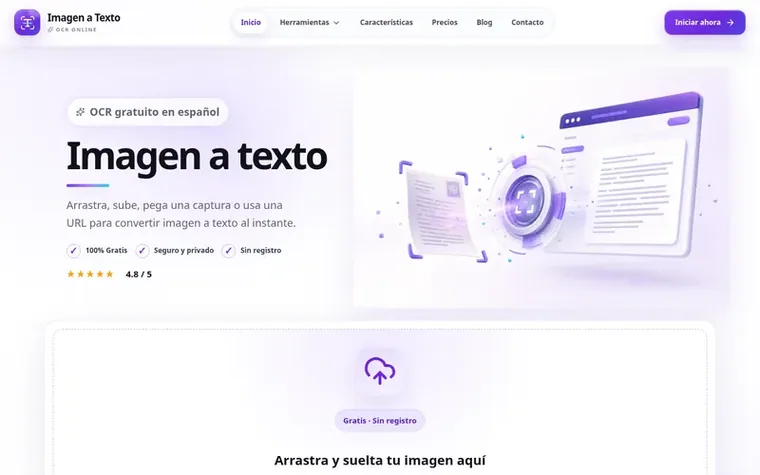
Homepage of Imagen a Texto App
Imagen a Texto App is a free online OCR converter that transforms written content from photos and visual documents into editable text through optical character recognition. The tool accepts common image formats including JPG, PNG, WebP, GIF, BMP, and TIFF, and allows users to upload images, choose output format, run OCR conversion, and then copy or download the results.
Designed specifically for Spanish speakers, the platform offers an interface entirely in Spanish with clear instructions and practical explanations. It supports multiple output formats including plain text, formatted text, Markdown, and downloadable files in TXT or Word formats. The OCR processing works locally in the browser when possible to prioritize privacy, though a high-precision AI option via APIMart is available for complex layouts and mixed fonts.
The tool requires no registration, installation, or payment for basic tasks. Users can extract text from various sources including student notes, receipts, business documents, social media screenshots, and everyday materials like menus, signs, and labels. The platform emphasizes simplicity and transparency, focusing on common OCR needs for students, administrative professionals, content creators, and daily users.
Support for JPG, JPEG, PNG, WebP, GIF, BMP, and TIFF formats
Image rotation options for correctly oriented document processing
Editable text output with copy, correct, and download capabilities
Local browser-based OCR processing for privacy
High-precision AI option via APIMart for complex layouts and mixed fonts
Contrast and sharpness enhancement before OCR processing
Pricing
Pricing model: Free
Free for basic OCR tasks including image to text conversion, PDF to text, JPG to Word, and text downloads in TXT, Word, and ZIP formats. Pro and API plans are planned for future release.
Upload your photo, press Convert, and copy the result. No registration, installation, or payment card is required. The image to text tool works in the browser and delivers editable text for documents, emails, or spreadsheets.
Can I extract text from a screenshot?
Yes. A screenshot with clear letters works very well. To improve the image to text result, crop edges, increase contrast, and avoid blurry photos.
What image formats does the converter accept?
It accepts JPG, JPEG, PNG, WebP, GIF, BMP, and TIFF. For scanned PDFs, we recommend exporting each page as an image and then using image to text to extract the content.
Can the extracted text be edited?
Yes. After converting image to text you can correct, copy, select, download as TXT, or reuse the content in Word, Google Docs, Notion, Excel, and any editor.
Is it safe to use imagenatexto.app?
Yes. OCR processing is performed in your browser when possible. We do not request an account and do not use your files to train models or store your images.
Find Imagen a Texto App online
Leave a review for Imagen a Texto App
No review of Imagen a Texto App set in type yet. Set the first.
 Copy Paste Fonts
 FancifyText
 KrutiDevTools