Ahrefs Domain Rating set in type 3 Nov 2026, reset 26 Oct 2026.
A Chrome extension that records your screen and automatically zooms in on every click, drag and keystroke, producing a finished video without manual editing.
The story so far
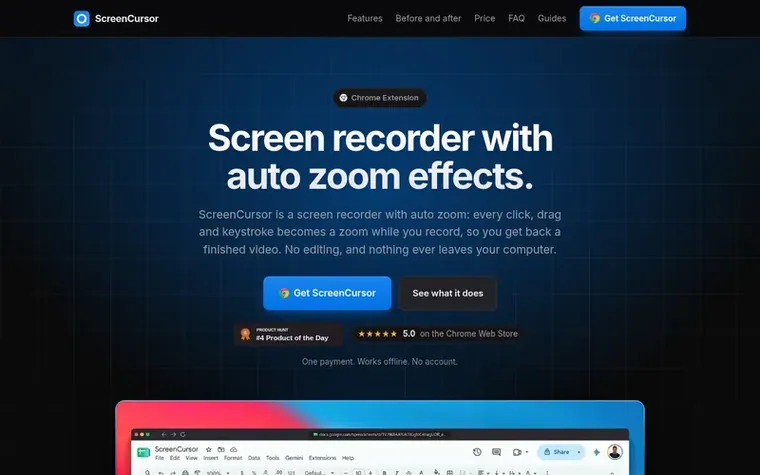
Homepage of ScreenCursor
ScreenCursor is a Chrome extension screen recorder that automatically places zoom effects on every click, drag and keystroke while you record. Instead of recording raw footage and manually editing zooms in a separate application, ScreenCursor produces a finished video directly from recording. The zoom effects are fully editable: you can retime them, adjust their depth and position, or delete them entirely. The extension includes a full editor for trimming, cutting, splitting and adjusting recording speed, plus options for backgrounds, blur, browser frames and aspect ratios. It exports to MP4 at up to 1080p resolution. All recording, editing and exporting happens locally in your browser with no video uploads, no account required and no watermark.
Typeset features
Automatic zoom on every click, drag and keystroke
Adjustable zoom timing, depth and position
Full editor with trim, cut, split and speed adjustments
Backgrounds, blur, browser frame and aspect ratios
1080p MP4 export with H.264 video and AAC audio
Works on Windows, macOS and Linux
No account or login required
Records browser tab or entire screen including other applications
Pricing
Pricing model: Paid
$49 USD, one-time payment. Covers up to 3 of your own computers. Early pricing: $49 (regular price $79).
ScreenCursor metrics
Set in type for screencursor.com: Ahrefs Domain Rating and Majestic link data, with the change since the last edition.
Metric
Value
Domain Rating
9● no change since last check
Trust Flow
4● no change since last check
Citation Flow
27● no change since last check
Referring domains
53● no change since last check
External backlinks
201● no change since last check
Ahrefs Domain Rating set in type 3 Nov 2026, reset 26 Oct 2026. Lead topic: Recreation/Food (3). Majestic set 26 Oct 2026, reset 26 Oct 2026. Link data typeset by Majestic. Trust Flow, Citation Flow and Topical Trust Flow are trademarks of Majestic-12 Ltd.
ScreenCursor domain colophon
Read the colophon
From the registry's public RDAP record, checked 2 Nov 2026, 01:44 UTC.
Measured after ScreenCursor went live on Zivaro Launch on 26 October 2026.
Domain Rating (Ahrefs)
9● no change since launch
9 at launch (26 Oct 2026), 9 on 2 Nov 2026
Referring domains (Majestic)
53
First measured 26 Oct 2026
Day 8 since launch. Next receipt: day 30, 25 Nov 2026. These are measurements, not proof of cause: many things move these numbers. Figures we have not measured are left out.
A screen recorder with auto zoom records your screen and zooms in on each click, drag and keystroke automatically, so the video looks edited without placing zooms by hand. ScreenCursor is a Chrome extension for Windows, Mac and Linux that places the zooms while you record, keeps every zoom editable, and never uploads your recording.
Is my video uploaded anywhere?
No. Recording, editing and export all happen inside your browser, and your video never leaves your computer. There is no account to create and no server for your video to go to.
How is ScreenCursor different from other screen recorders?
ScreenCursor zooms in on every click by itself while you record, which most screen recording software leaves to you in a video editor afterwards. Every click, drag and keystroke becomes an automatic zoom placed and timed for you, producing a finished video without a second pass.
Can I control the zoom in and out myself?
Yes. Nothing is baked in. Every zoom can be retimed, pushed deeper or shallower, pointed at exactly the part of the screen you choose, switched between snappy and gentle motion, or deleted. You can also add your own zooms anywhere.
Is it a subscription?
No. One payment of $49, yours permanently, including updates. There is no monthly fee and no per-video limit.
Leave a review for ScreenCursor
No review of ScreenCursor set in type yet. Set the first.

 ZoneBlade
 CardGo.AI
 Botzilla