Ahrefs Domain Rating set in type 17 Oct 2026, reset 9 Oct 2026.
RedactSense metrics
Set in type for redactsense.com: Ahrefs Domain Rating and Majestic link data, with the change since the last edition.
Metric
Value
Domain Rating
0● no change since last check
Trust Flow
6● no change since last check
Citation Flow
23● no change since last check
Referring domains
42● no change since last check
External backlinks
65● no change since last check
Ahrefs Domain Rating set in type 17 Oct 2026, reset 9 Oct 2026. Lead topic: Business/Energy (6). Majestic set 9 Oct 2026, reset 9 Oct 2026. Link data typeset by Majestic. Trust Flow, Citation Flow and Topical Trust Flow are trademarks of Majestic-12 Ltd.
RedactSense domain colophon
From the registry's public RDAP record, checked 16 Oct 2026, 14:20 UTC.
Desktop software that automatically finds and permanently removes sensitive information from documents using on-device AI, with no cloud uploads or servers.
The story so far
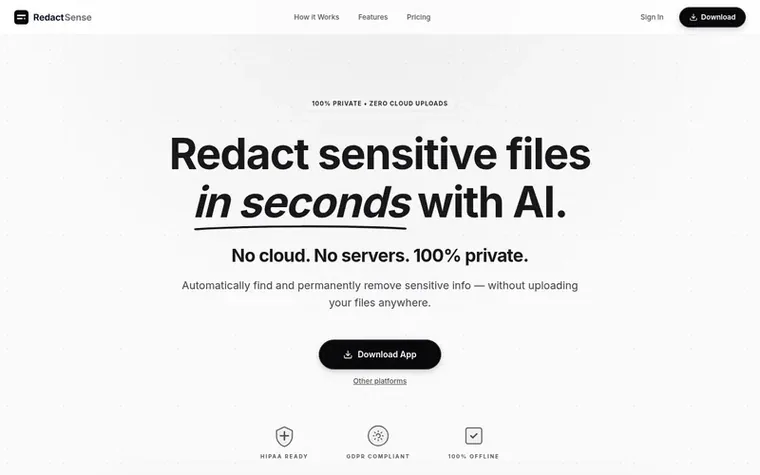
Homepage of RedactSense
RedactSense is a desktop application for macOS and Windows that uses on-device AI to detect and permanently remove sensitive information from PDF, Word, and image files. The software runs entirely locally on your computer without uploading files to any servers, ensuring complete privacy and compliance with regulations like HIPAA and GDPR.
The application works in four steps: load your document, let the AI analyze it on your device to detect confidential information like names, social security numbers, and credit card details, review and adjust the results, then export the clean file. Unlike traditional redaction methods that simply cover text, RedactSense permanently removes sensitive data and metadata so nothing can be recovered.
The software is designed for professionals in privacy-sensitive industries including lawyers, doctors, HR professionals, and accountants who cannot afford to upload confidential files to cloud services. It offers 99% detection accuracy, handles complex layouts and scanned documents, and works 10 times faster than manual redaction.
Typeset features
On-device AI analysis that detects sensitive information
Permanent data removal including metadata
Context-aware detection beyond pattern matching
Support for PDF, Word documents, and images
Handles complex layouts and scanned pages
HIPAA and GDPR compliance
Manual review and adjustment capability
Works completely offline
Pricing
Pricing model: Freemium
Free plan: $0 forever, unlimited documents with first 2 pages exported. Individual: $20/month billed annually, unlimited documents with all pages exported. Team: $40/device/month billed annually, minimum 2 devices, centralized admin device management. Enterprise: Custom pricing with volume licensing
Why should I use RedactSense instead of manually redacting files?
RedactSense is 10 times faster than manual redaction and offers 99% detection accuracy. It automatically finds sensitive information like names, social security numbers, and credit card details, reducing the risk of human error and the time spent on tedious page-by-page redaction work.
How does RedactSense keep my files private?
Your files never leave your device. RedactSense runs AI models directly on your computer's hardware with no cloud uploads or servers, ensuring your sensitive data remains completely offline and private.
Is the data truly removed or just hidden?
The sensitive data is permanently removed from the file and its metadata, not just covered up. Unlike a black box drawn over text, which leaves the original words searchable in the file, RedactSense ensures nothing can be recovered.
Which file formats does RedactSense support?
RedactSense works with PDF files, Word documents, and images. It can handle complex layouts including tables, scanned pages, and multi-column layouts.
Leave a review for RedactSense
No review of RedactSense set in type yet. Set the first.

 PDF Help
 InOneShot
 PDF Convert Now
 pdfpix