Ahrefs Domain Rating set in type 17 Oct 2026, reset 9 Oct 2026.
PDFKing metrics
Set in type for pdfking.app: Ahrefs Domain Rating and Majestic link data, with the change since the last edition.
Metric
Value
Domain Rating
26● no change since last check
Trust Flow
21● no change since last check
Citation Flow
14● no change since last check
Referring domains
108● no change since last check
External backlinks
1,596● no change since last check
Ahrefs Domain Rating set in type 17 Oct 2026, reset 9 Oct 2026. Lead topic: Arts/Performing Arts (21). Majestic set 9 Oct 2026, reset 9 Oct 2026. Link data typeset by Majestic. Trust Flow, Citation Flow and Topical Trust Flow are trademarks of Majestic-12 Ltd.
PDFKing domain colophon
From the registry's public RDAP record, checked 16 Oct 2026, 17:50 UTC.
PDFKing is a free, browser-based platform offering 22+ online PDF tools to merge, split, compress, convert, edit, sign, and protect PDFs without registration or
The story so far
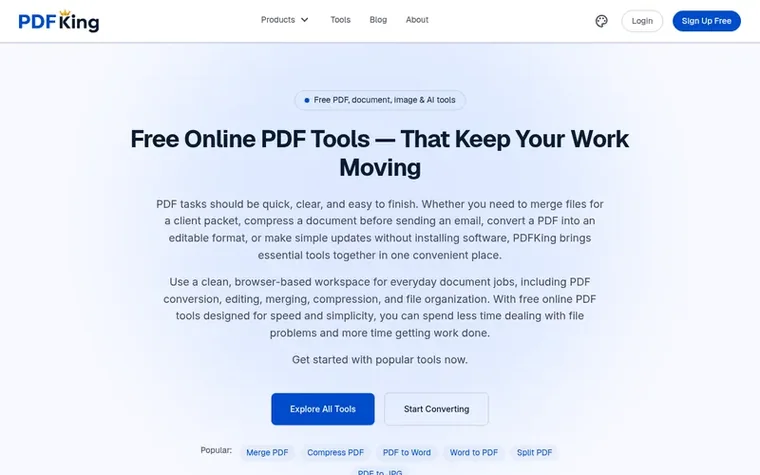
Homepage of PDFKing
PDFKing is a free online PDF workspace where users can handle common document tasks without downloading software or creating an account. The platform provides 22+ tools for merging multiple PDFs into one document, splitting PDFs into individual pages, compressing files while maintaining quality, converting between PDF and other formats like Word and JPG, editing PDFs with text and annotations, signing documents, watermarking files, and password-protecting sensitive PDFs.
Designed for students, professionals, small businesses, freelancers, and administrative teams, PDFKing runs entirely in any modern web browser with no installation, no extensions, and no updates required. The service operates on a lifetime-free model with no subscription tiers, daily limits, watermarks, or forced registration, making everyday document work accessible to everyone regardless of location or technical experience.
Pricing
Pricing model: Free
100% free, no subscription, no daily limits, no premium tier, no hidden charges
PDFKing is an online PDF workspace that brings common document tools into one place. You can use it to merge PDFs, compress files, convert documents, edit PDFs, and complete everyday PDF tasks with a simple workflow. The service is designed as a browser-based platform for students, professionals, small businesses, and anyone who works with PDFs regularly.
Is PDFKing really free?
Yes. All 22+ free PDF tools on PDFKing have no daily limits, no premium tier, and no hidden charges. You will never be asked to pay to download your file.
Do I need to create an account to use PDFKing?
No. You can merge, split, compress, convert, and sign PDFs without registering or providing an email address.
Can I use PDFKing on my phone?
Yes. These free PDF tools work in the mobile browser on both Android and iOS, so you can merge, compress, or sign a PDF directly from your phone without app installation.
Does PDFKing add watermarks to my files?
No. PDFKing never places watermarks, badges, or branding on your output files at any usage level.
Find PDFKing online
Leave a review for PDFKing
No review of PDFKing set in type yet. Set the first.
 PDF Help
 InOneShot
 PDF Convert Now
 pdfpix