How do I use PasteDownload on mobile?
Tap the Access Clipboard button to grant permission, then paste your image, or import it from your gallery or file manager. Android and iOS handle clipboard permissions differently.

File converters
Press Ctrl+V to download any copied image as PNG, JPEG, or WebP
Ahrefs Domain Rating set in type 27 Oct 2026, reset 26 Oct 2026.
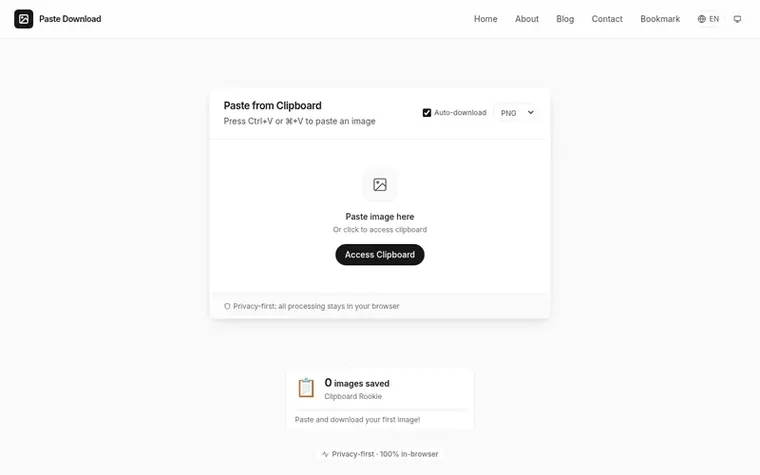
PasteDownload is a free online tool that lets you turn a clipboard image into a downloadable file. Copy any image, paste it using Ctrl+V or Cmd+V, and download it as PNG, JPEG, or WebP. All processing happens in your browser with no uploads, no account needed, and no usage limits. The tool works by reading image data directly from your clipboard using the browser's Clipboard API and re-encoding it to your chosen format using the Canvas API, keeping your images private on your device throughout.
Pricing model: Free
| Metric | Value |
|---|---|
| Domain Rating | 3 no change since last check |
| Trust Flow | 3 no change since last check |
| Citation Flow | 20 no change since last check |
| Referring domains | 7 no change since last check |
| External backlinks | 20 no change since last check |
Ahrefs Domain Rating set in type 27 Oct 2026, reset 26 Oct 2026. Lead topic: Computers/Software/Operating Systems (3). Majestic set 26 Oct 2026, reset 26 Oct 2026. Link data typeset by Majestic. Trust Flow, Citation Flow and Topical Trust Flow are trademarks of Majestic-12 Ltd.
| Domain age | 4 months |
|---|---|
| Registered | |
| Expires | |
| Registrar | Spaceship, Inc. |
| DNSSEC | Not signed |
Tap the Access Clipboard button to grant permission, then paste your image, or import it from your gallery or file manager. Android and iOS handle clipboard permissions differently.
The most common cause is that your clipboard does not contain image data, such as if you copied a link instead of the picture. It can also be that the paste zone does not have focus or your browser applies stricter permission rules.
Yes. Paste any image from your clipboard or drag and drop a file, then download it in PNG, JPEG, or WebP format. Conversion happens locally in your browser when supported.
Yes, completely free with unlimited downloads. There are no sign-ups, no watermarks, no hidden fees, and no usage caps.
The tool uses the browser's Clipboard API to read image data and the Canvas API for format conversion, all processed on your device. At no point does this involve a request to any server.
No review of PasteDownload set in type yet. Set the first.
Reviews are free to set. None are paid for. Read the proofs
Readers' notes · Reprints · Share the page · Your company in print? Claim it · Report a misprint
PasteDownload has a free listing. The owner can unlock the full profile with a paid launch for $5:
 glTF to STL Converter
Convert glTF and GLB 3D scenes to STL in your browser without uploading
 TranslateEPUB
Translate EPUB and PDF ebooks online with AI while preserving formatting
Secure file sharing with end-to-end encryption and OneTimeView technology
 Shrinkpad
Native macOS app for batch compressing images and videos with complete privacy
Can we set one analytics cookie to count which pages readers flip to? Nothing is set unless you say yes. Privacy