Can I use OCRStack directly in my browser?
Yes. Upload a PDF or image, run OCR, preview the recognized text, and download the result without installing desktop software.
PDF tools
Browser-based OCR tool for extracting text from PDFs and images
Ahrefs Domain Rating set in type 17 Oct 2026, reset 9 Oct 2026.
| Metric | Value |
|---|---|
| Domain Rating | 8 no change since last check |
| Trust Flow | 18 no change since last check |
| Citation Flow | 25 no change since last check |
| Referring domains | 57 no change since last check |
| External backlinks | 84 no change since last check |
Ahrefs Domain Rating set in type 17 Oct 2026, reset 9 Oct 2026. Lead topic: Regional/Europe (18). Majestic set 9 Oct 2026, reset 9 Oct 2026. Link data typeset by Majestic. Trust Flow, Citation Flow and Topical Trust Flow are trademarks of Majestic-12 Ltd.
| Domain age | 7 months |
|---|---|
| Registered | |
| Expires | |
| Registrar | Spaceship, Inc. |
| DNSSEC | Not signed |
Extract text from scanned PDFs and images online, preview clean text, and download editable Word, TXT, or Markdown files.
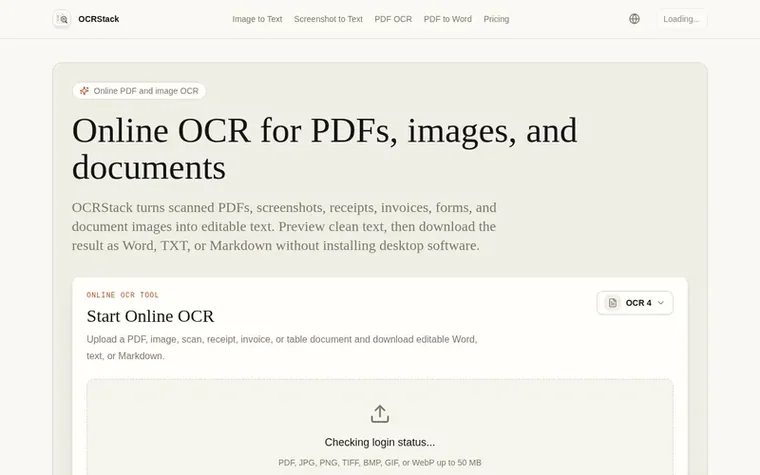
OCRStack is a browser-based OCR tool that converts scanned PDFs, screenshots, receipts, invoices, forms, and document images into editable text. Users upload files, run OCR with a selected model, preview the recognized text, and download results as Word, TXT, or Markdown files without installing desktop software. The service charges credits by processed page and model, with new accounts receiving trial credits and paid plans including monthly OCR credits for repeat use.
Pricing model: Freemium
Free: 3 trial credits. Starter: $9.9/mo for 600 credits. Plus: $19.9/mo for 1500 credits. Pro: $39.9/mo for 3500 credits.
Yes. Upload a PDF or image, run OCR, preview the recognized text, and download the result without installing desktop software.
OCRStack is built for PDFs, scanned documents, screenshots, JPG, PNG, TIFF, invoices, receipts, forms, reports, and table-heavy records.
Yes. OCRStack recognizes text in image-only and scanned PDFs and can create an editable DOCX file with headings, paragraphs, lists, and simple tables.
OCR is charged by processed page and model. New accounts receive trial credits, and paid plans include monthly OCR credits for repeat use.
After recognition, you can preview plain text and download the result as Word, plain text, or Markdown.
No review of OCRStack set in type yet. Set the first.
Reviews are free to set. None are paid for. Read the proofs
Readers' notes · Reprints · Share the page · Your company in print? Claim it · Report a misprint
OCRStack has a free listing. The owner can unlock the full profile with a paid launch for $5:
 PDF Help
Online PDF tools to convert, edit, merge, split, and compress PDF files
 InOneShot
Generate personalized PDFs in bulk from Excel, locally and securely
 PDF Convert Now
Free online PDF tools with no signup
 pdfpix
38 free PDF tools that run in your browser, with nothing uploaded and every result verified
Can we set one analytics cookie to count which pages readers flip to? Nothing is set unless you say yes. Privacy