Ahrefs Domain Rating set in type 3 Nov 2026, reset 29 Oct 2026.
AspectCalc is a free toolkit that calculates, checks and converts image, video and screen dimensions, showing the arithmetic rather than hiding it.
The story so far
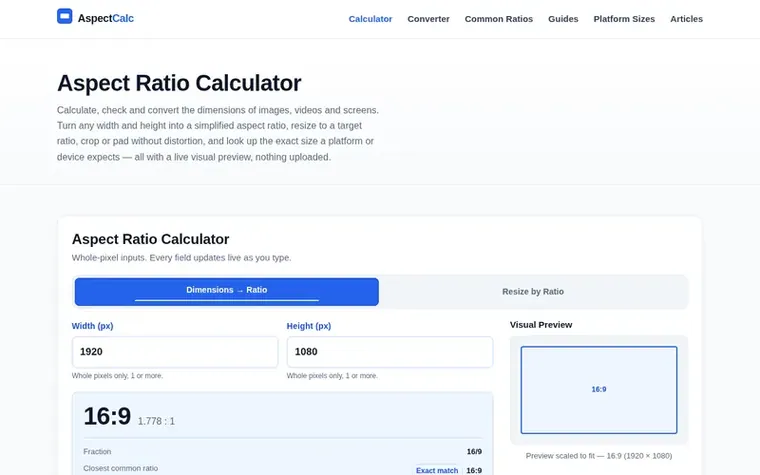
Homepage of AspectCalc
AspectCalc answers one everyday problem: given a width and height, or a target shape, what should the other number be before you export, crop, buy, upload or paste. Every tool runs in your browser with no account needed.
The toolkit includes an aspect ratio calculator that turns any width and height into a simplified ratio with live preview, an aspect ratio converter for cropping or padding existing sizes to new ratios down to the pixel, and image tools for checking aspect ratios, cropping and resizing without distortion.
The site also provides guides for common ratios like 16:9, 9:16 and 1:1, exact upload dimensions for social platforms, and educational content explaining how aspect ratios differ from resolution. All calculations show their working—the greatest common divisor applied, decimals produced and closest common ratios—rather than returning a label to trust.
Typeset features
Aspect ratio calculator with live preview
Aspect ratio converter for crop and pad
Image aspect ratio checker
Image crop calculator
Image resize calculator keeping aspect ratio
CSS aspect-ratio property generator
Platform-specific upload size guides
Common aspect ratio reference chart
Greatest common divisor calculation shown
Embeddable calculator widget
Pricing
Pricing model: Free
AspectCalc metrics
Set in type for aspectcalc.com: Ahrefs Domain Rating and Majestic link data, with the change since the last edition.
Metric
Value
Domain Rating
0● no change since last check
Trust Flow
0● no change since last check
Citation Flow
17● no change since last check
Referring domains
1● no change since last check
External backlinks
3● no change since last check
Ahrefs Domain Rating set in type 3 Nov 2026, reset 29 Oct 2026. Majestic set 29 Oct 2026, reset 29 Oct 2026. Link data typeset by Majestic. Trust Flow, Citation Flow and Topical Trust Flow are trademarks of Majestic-12 Ltd.
AspectCalc domain colophon
Read the colophon
From the registry's public RDAP record, checked 2 Nov 2026, 20:47 UTC.
Measured after AspectCalc went live on Zivaro Launch on 29 October 2026.
Domain Rating (Ahrefs)
0● no change since launch
0 at launch (29 Oct 2026), 0 on 2 Nov 2026
Referring domains (Majestic)
1
First measured 29 Oct 2026
Day 5 since launch. Next receipt: day 30, 28 Nov 2026. These are measurements, not proof of cause: many things move these numbers. Figures we have not measured are left out.
Divide the width by the height to get the decimal ratio, then reduce the two numbers by their greatest common divisor. For example, a 1920 × 1080 frame divides to 1.777, and because the greatest common divisor of 1920 and 1080 is 120, the reduced ratio is 16:9.
What is the difference between aspect ratio and resolution?
Aspect ratio describes shape, while resolution describes how many pixels fill that shape. For example, 1920 × 1080 and 3840 × 2160 have exactly the same 16:9 shape but the latter has four times the pixel count, so they look identical in proportion but very different in sharpness.
How do I resize an image without changing its aspect ratio?
Use the Resize by Ratio tab and enter the ratio you want to keep such as 16:9 or 4:3, then type either the new width or the new height. The other dimension is calculated automatically so the frame never stretches.
Does cropping to a different aspect ratio reduce image quality?
Cropping removes pixels, so the delivered file has a lower pixel count, but the pixels that remain are unchanged and not degraded. Stretching is what damages quality, because it invents new pixels and distorts the subject.
How do I write an aspect ratio in CSS?
Use the aspect-ratio property with the syntax: aspect-ratio: 16 / 9; The numbers may be separated by a slash with spaces around it, and decimals are allowed, such as aspect-ratio: 2.39 / 1;
Leave a review for AspectCalc
No review of AspectCalc set in type yet. Set the first.

 Disk Prices
 Ohmlark
 EZGrader
 Speedometer.tools