Ahrefs Domain Rating set in type 12 Nov 2026, reset 9 Nov 2026.
A macOS menu bar app that keeps every window in a chosen layout, with new windows taking a slot and the rest waiting out of sight until needed.
The story so far
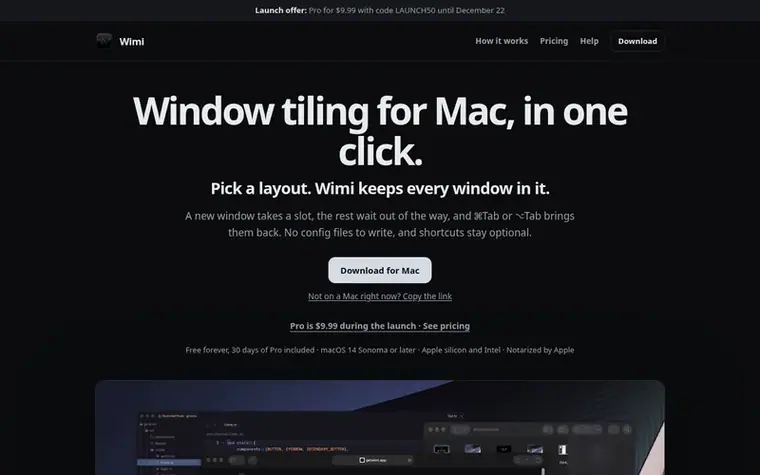
Homepage of Wimi
Wimi is a window tiling application for macOS that keeps every open window in a chosen layout. Users pick a layout by resting the mouse at the screen edge, where a drawer slides in with layout options. When a new window opens, it takes a slot at the same size, and the window it replaces is parked out of the way but remains accessible.
Parked windows can be brought back by clicking them in the drawer (which shows live previews), using ⌘Tab or ⌥Tab, or searching globally. Each display gets its own layout and drawer. The app requires no configuration files and keeps keyboard shortcuts optional, making it accessible to users who prefer mouse-driven interaction.
Wimi is available free with basic features or as a one-time Pro purchase. The free version includes the drawer, window switcher with live previews, search, app launcher, emoji picker, and keep awake functionality. Pro adds additional layouts (thirds, quarters, stacked, main+side), nine workspaces, workspace bar, window strip, and clipboard history.
Want to see what Wimi does next? Follow them for milestones, new products and stories by email.
Wimi metrics
Set in type for getwimi.app: Ahrefs Domain Rating and Majestic link data, with the change since the last edition.
Metric
Value
Domain Rating
0● no change since last check
Trust Flow
0● no change since last check
Citation Flow
10● no change since last check
Referring domains
2● no change since last check
External backlinks
8● no change since last check
Ahrefs Domain Rating set in type 12 Nov 2026, reset 9 Nov 2026. Majestic set 9 Nov 2026, reset 9 Nov 2026. Link data typeset by Majestic. Trust Flow, Citation Flow and Topical Trust Flow are trademarks of Majestic-12 Ltd.
Wimi domain colophon
Read the colophon
From the registry's public RDAP record, checked 12 Nov 2026, 09:07 UTC.
Measured after Wimi went live on Zivaro Launch on 9 November 2026.
Domain Rating (Ahrefs)
0● no change since launch
0 at launch (9 Nov 2026), 0 on 11 Nov 2026
Trust Flow (Majestic)
0
First measured 9 Nov 2026
Referring domains (Majestic)
2
First measured 9 Nov 2026
Day 2 since launch. Next receipt: day 30, 9 Dec 2026. These are measurements, not proof of cause: many things move these numbers. Figures we have not measured are left out.
Parked windows stay open in a corner of the display. They can be accessed via the drawer, ⌥Tab, or global search. Quitting Wimi puts every parked window back on screen, and after a crash the next launch finds them again.
Does ⌘Tab bring parked windows back?
Yes. Switch to a parked window with ⌘Tab, ⌥Tab or the drawer and it takes the slot you're in.
Can I leave a window outside the layout?
Yes. Pop a window out and it floats freely above the layout until you put it back.
What happens when the trial ends?
Wimi drops to the free version, which you can keep using forever. Hidden windows come back on screen and your settings are kept, so buying Pro restores everything.
Which permissions does Wimi need?
Accessibility is required so Wimi can list, move and focus windows. Screen Recording is optional and only adds live window previews; without it you see app icons instead.

 Mergify Digital
 igli
 Bank of Todays
 Cursor Flow