Ahrefs Domain Rating set in type 2 Nov 2026, reset 2 Nov 2026.
Free online converter that transforms PNG, JPG and other images into scalable SVG vectors in your browser, with no signup required and files never uploaded to
The story so far
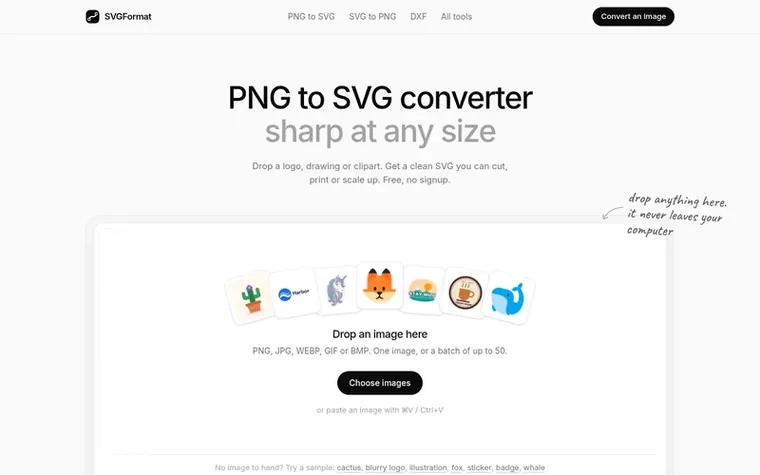
Homepage of SVGFormat
SVGFormat is a free web-based image converter that transforms PNG, JPG, WEBP, GIF and BMP images into vector formats including SVG, PDF, EPS, DXF and AI. The conversion happens entirely in your browser, so files never leave your device. It traces images into clean vector shapes, keeping shared edges exact so shapes never overlap or leave gaps, and it handles small and blurry logos particularly well by cleaning up soft edges.
The tool supports multiple output formats optimised for different uses: SVG and DXF for cutting machines like Cricut and Silhouette, PDF and EPS for print shops, and PES, DST and JEF files for embroidery machines. Users can choose between different tracing styles (Logo, Illustration, Line art, Black & white, or Photo), adjust the number of colours, and remove backgrounds before downloading.
There is no signup required, no watermark on downloads, no daily limits, and commercial use is permitted as long as you own the rights to the original image. The service also includes a batch conversion feature for up to 50 images at once.
Set in type for svgformat.com: Ahrefs Domain Rating and Majestic link data, with the change since the last edition.
Metric
Value
Domain Rating
0● no change since last check
Trust Flow
0● no change since last check
Citation Flow
0● no change since last check
Referring domains
0● no change since last check
External backlinks
0● no change since last check
Ahrefs Domain Rating set in type 2 Nov 2026, reset 2 Nov 2026. Majestic set 2 Nov 2026, reset 2 Nov 2026. Link data typeset by Majestic. Trust Flow, Citation Flow and Topical Trust Flow are trademarks of Majestic-12 Ltd.
SVGFormat domain colophon
Read the colophon
From the registry's public RDAP record, checked 2 Nov 2026, 16:50 UTC.
Measured after SVGFormat went live on Zivaro Launch on 2 November 2026.
Domain Rating (Ahrefs)
0
First measured 2 Nov 2026
Referring domains (Majestic)
0
First measured 2 Nov 2026
Day 0 since launch. Next receipt: day 30, 2 Dec 2026. These are measurements, not proof of cause: many things move these numbers. Figures we have not measured are left out.
Drop your PNG in the box at the top of this page or paste it with Ctrl+V. The SVG appears within a few seconds. You can drag the slider to compare it with the original, then download. Nothing needs to be installed and it works on a phone.
Is it really free?
Yes. Downloads are free in every format with no watermark, no signup and no daily limit, because the conversion runs in your browser and costs almost nothing to serve.
Are my files uploaded?
No. Your browser does the conversion on your own device, so the file never reaches the server. This also makes it fast with no upload or download wait.
Will the SVG work in Cricut Design Space?
Yes. Download the SVG and upload it in Design Space. Each colour comes in as its own layer ready to cut, and removing the background first saves you deleting it later.
Can I use the files commercially?
Yes. The files are yours to use on products you sell and in client work, as long as you have the rights to the picture you converted.
Leave a review for SVGFormat
No review of SVGFormat set in type yet. Set the first.

 Tarkle
 SpinShare
 EZPZ File