Ahrefs Domain Rating set in type 17 Oct 2026, reset 16 Oct 2026.
source-lm metrics
Set in type for source-lm.com: Ahrefs Domain Rating and Majestic link data, with the change since the last edition.
Metric
Value
Domain Rating
15▼ −1 (down) since last check
Trust Flow
18● no change since last check
Citation Flow
15● no change since last check
Referring domains
24● no change since last check
External backlinks
132● no change since last check
Ahrefs Domain Rating set in type 17 Oct 2026, reset 16 Oct 2026. Lead topic: Computers/Software/Operating Systems (18). Majestic set 10 Oct 2026, reset 10 Oct 2026. Link data typeset by Majestic. Trust Flow, Citation Flow and Topical Trust Flow are trademarks of Majestic-12 Ltd.
source-lm domain colophon
From the registry's public RDAP record, checked 16 Oct 2026, 14:21 UTC.
A Chrome extension that automates adding sources to NotebookLM in bulk from JSON files, YouTube videos, and web pages, without requiring an account or backend.
The story so far
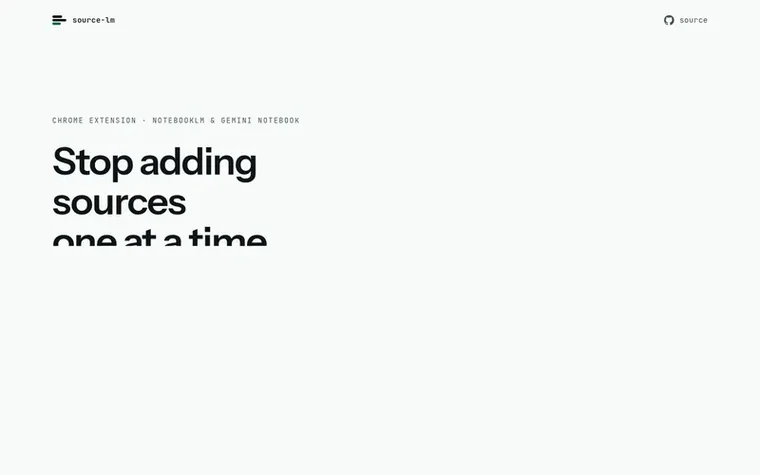
Homepage of source-lm
source-lm is a Chrome extension that lets you add multiple sources to NotebookLM at once, instead of one at a time. It takes JSON exports like Telegram chats and splits them into Markdown files under a 400,000-word budget, uploads YouTube videos individually or in bulk from watch, playlist and channel pages, and adds web pages and selected text from a right-click menu. Inside NotebookLM it adds filtering, duplicate detection, and batch deletion to the Sources panel.
The extension runs entirely in your browser with no backend, no account, no recurring costs, and no data stored on servers. It is source-available and published unminified so you can read the code. A one-time $29 licence gives unlimited bulk uploads; the free plan includes 5 bulk actions per month and single sources always remain free.
Typeset features
Split JSON exports into Markdown files with 400,000-word budget
Filter sources, detect duplicates, and batch delete
Incremental uploads skip already-added content
No account or login required
Source-available code published unminified
No data written to disk or stored on servers
Supports Telegram Desktop and Telegram for macOS exports
Pricing
Pricing model: Paid
Free plan: 5 bulk actions per month, single sources always free. Pro licence: $29 one time, unlimited bulk runs.
It automates adding sources to NotebookLM in bulk from three input types: JSON exports like Telegram chats (split into multiple Markdown files), YouTube videos from watch, playlist, and channel pages (individually or multi-select), and web pages or selected text (via right-click menu or a list of URLs). It also adds filtering, duplicate detection, batch deletion, and a broken sources list to NotebookLM's Sources panel.
Does it support Telegram exports?
Yes, in both formats. Telegram Desktop exports as JSON or HTML; Telegram for macOS (version 12.10 and later) also has an Export Chat History feature that writes HTML. Select all messages.html pages at once and the extension orders them automatically. Text only is captured; photos, voice messages, and stickers are not included.
Why is it a one-time price instead of a subscription?
There is no backend and no recurring costs behind the extension, so there is nothing to bill monthly for. You pay once and keep the licence. The extension does rely on an unpublished Google interface that can change without notice, which is another reason not to charge a recurring subscription.
What happens when the free plan's 5 bulk actions run out?
The 5 bulk actions per month is the ceiling on batch uploads and multi-video adds across all input methods. Single sources—one page, one link, or one video—and deleting sources continue to work regardless, and the count resets on the 1st of each month.
Where do requests go and who can see my data?
Requests go only to NotebookLM's own origin, Google's upload host, and the payment provider's public endpoint for licence checks. There is no author-controlled server, no telemetry, and no analytics. Settings, the licence key, and trial counter live in chrome.storage.sync, which Chrome syncs to your own Google account.
Find source-lm online
Leave a review for source-lm
No review of source-lm set in type yet. Set the first.

 interTabs
 ADA SafeCheck
 LinkJuice
 Tabisto