Ahrefs Domain Rating set in type 16 Oct 2026, reset 5 Oct 2026.
Scry Remote Desktop metrics
Set in type for bravely.dev: Ahrefs Domain Rating and Majestic link data, with the change since the last edition.
Metric
Value
Domain Rating
4● no change since last check
Trust Flow
11● no change since last check
Citation Flow
43● no change since last check
Referring domains
2,749● no change since last check
External backlinks
6,550● no change since last check
Ahrefs Domain Rating set in type 16 Oct 2026, reset 5 Oct 2026. Lead topic: Regional/Europe (11). Majestic set 5 Oct 2026, reset 5 Oct 2026. Link data typeset by Majestic. Trust Flow, Citation Flow and Topical Trust Flow are trademarks of Majestic-12 Ltd.
Scry Remote Desktop domain colophon
From the registry's public RDAP record, checked 16 Oct 2026, 14:16 UTC.
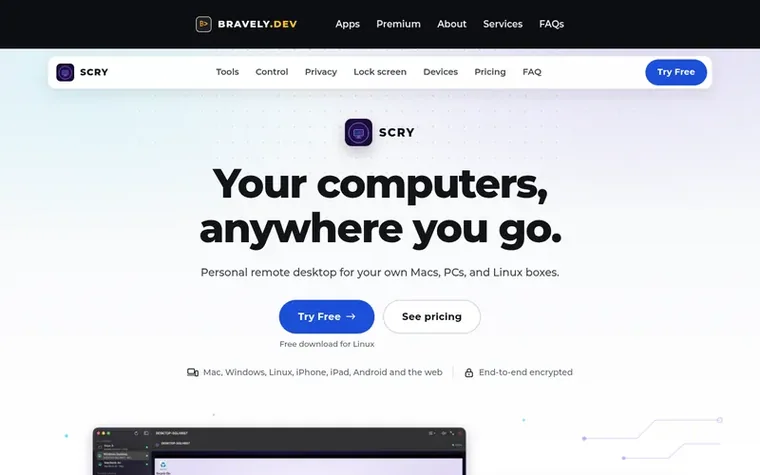
Scry Remote Desktop lets you access and control your own Mac, Windows PC, or Linux machine from anywhere using any device. The application offers native apps for Mac, Windows, Linux, iPhone, iPad, and Android, plus a browser-based viewer. All connections are end-to-end encrypted, meaning Bravely's servers never see your screen. You can work across locked computers, transfer files mid-session, share clipboards bidirectionally, and control multiple displays. The service includes one-time share codes for helping others and works through relay connections when direct network access isn't available.
Pricing
24-Hour No-Card Trial (free); Monthly $9.99/mo after 7-day free trial; Annual $95.99/yr after 7-day free trial (20% savings); Lifetime $399 one-time payment. Includes free access to 8 other Bravely premium apps with annual and lifetime plans.
Scry goes on both ends: install it on each Mac, Windows PC or Linux machine you want to reach and sign in. Then connect from another computer, an iPhone, iPad or Android phone, or a browser at scry.bravely.dev, all signed in to the same account the same way.
When do I pay?
Setting up and signing in are free, and you'll see Scry connect to your computer before being asked to pick a plan. Try every feature free for 24 hours with no card, or start a plan with 7 days free.
Can anyone else see my screen?
Only the devices in the session can see your screen. Every session is end-to-end encrypted between your two devices, and servers never see your screen. When a network blocks a direct path, the session takes a detour through a relay and stays encrypted the whole way.
Does it work when my computer is locked?
Yes, on Mac, Windows and Linux you can connect to the locked computer and type your password at its lock screen. On a Mac, turn on Launch Scry at login in Scry's Settings so Scry starts whenever you sign in.
Which way do files go?
Files go from the device you're on to the computer you're controlling, up to 5 at a time. On that computer, someone clicks Save and picks where it goes. Over a relayed connection, files are limited to 2 GB.
Find Scry Remote Desktop online
Leave a review for Scry Remote Desktop
No review of Scry Remote Desktop set in type yet. Set the first.

 Watchgoose
 Technically Not
 TagManagerBuilder
 CrabNebula DevTools