Ahrefs Domain Rating set in type 17 Nov 2026, reset 17 Nov 2026.
ScreenGoose provides free tools to test screens for faults, test keyboards and mice, display plain colors and lights, and play harmless pranks, all without
The story so far
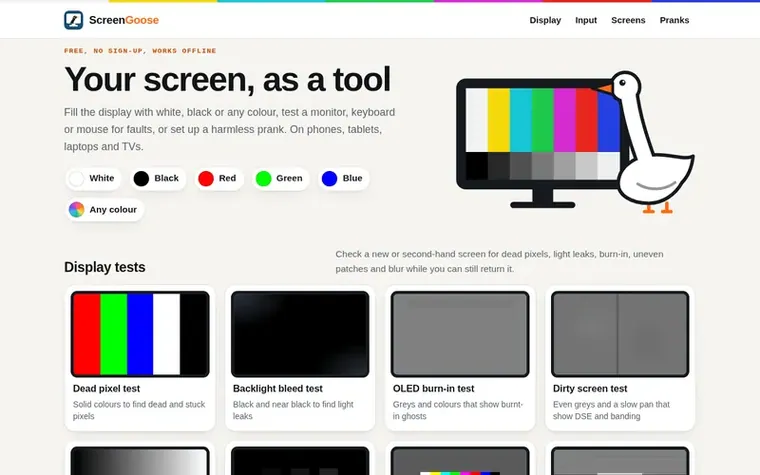
Homepage of ScreenGoose
ScreenGoose turns any screen into a tool. It offers display tests including dead pixel detection, backlight bleed testing, OLED burn-in checking, and monitor calibration. It also provides keyboard, mouse and touch screen tests to check for faults in every key, button, wheel and touch point. Users can fill displays with plain white, black or any color for use as lights or backdrops. The site also includes a collection of harmless pranks like fake operating system updates and cracked screen displays. All tools are free, require no account, work offline once loaded, and function on phones, tablets, laptops and TVs.
Want to see what ScreenGoose does next? Follow them for milestones, new products and stories by email.
ScreenGoose metrics
Set in type for screengoose.com: Ahrefs Domain Rating and Majestic link data, with the change since the last edition.
Metric
Value
Domain Rating
1▲ +1 (up) since last check
Trust Flow
0● no change since last check
Citation Flow
0● no change since last check
Referring domains
0● no change since last check
External backlinks
0● no change since last check
Ahrefs Domain Rating set in type 17 Nov 2026, reset 17 Nov 2026. Majestic set 16 Nov 2026, reset 16 Nov 2026. Link data typeset by Majestic. Trust Flow, Citation Flow and Topical Trust Flow are trademarks of Majestic-12 Ltd.
ScreenGoose domain colophon
Read the colophon
From the registry's public RDAP record, checked 16 Nov 2026, 18:50 UTC.
Measured after ScreenGoose went live on Zivaro Launch on 16 November 2026.
Domain Rating (Ahrefs)
1▲ +1 (up) since launch
0 at launch (16 Nov 2026), 1 on 17 Nov 2026
Trust Flow (Majestic)
0
First measured 16 Nov 2026
Referring domains (Majestic)
0
First measured 16 Nov 2026
Day 1 since launch. Next receipt: day 30, 16 Dec 2026. These are measurements, not proof of cause: many things move these numbers. Figures we have not measured are left out.
Open a tool, choose any options and press Start. The page takes over the whole screen. On a computer, press Esc to close it. On a phone or tablet, press and hold anywhere for two seconds. The test pages also have a small control bar that appears when you move the mouse or tap.
What do the pranks do?
Each prank page says plainly that it is a prank and closes the same way: press Esc or press and hold anywhere for two seconds. None of them installs anything, changes any settings or collects anything.
What does ScreenGoose collect from me?
ScreenGoose has no accounts or sign-up forms. The tools themselves do not record anything you type or press. The site uses Google Analytics to understand which pages are used and Adsterra for advertising. You can opt out of analytics and advertising via the cookie settings.
How do I report a tool that doesn't work?
Email admin@screengoose.com with the page address, your device and browser, and what happened. A person reads every message, usually within a few days.
Leave a review for ScreenGoose
No review of ScreenGoose set in type yet. Set the first.

 Color Dice
 Kitovo
 House of Emojis
 FacePalm Lab