Web app for translating scanned and image-only PDFs with layout preservation, supporting 39 language pairs.
The story so far
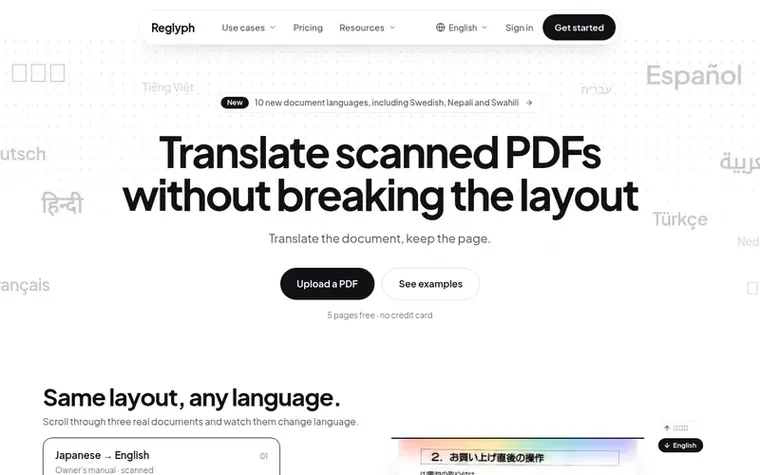
Homepage of Reglyph
Reglyph translates scanned and image-only PDFs by running OCR to recognize text in the image, then translating it and re-typesetting the translation in the original position on the page. This preserves tables, columns, figures, stamps, and other layout elements without manual reformatting. The service handles multi-page documents up to 100 MB, supports 39 language pairs, and covers use cases like birth certificates, academic transcripts, bank statements, medical records, legal documents, and books.
Typeset features
OCR recognition of scanned text
Layout preservation in translation
Multi-page document support
Bilingual PDF output
39 language pairs
Automatic page layout rebuilding
Support for documents up to 100 MB
Preserves stamps, signatures, and figures
Pricing
Pricing model: Freemium
Free: 5 pages at sign-up. Pay-as-you-go: $0.30/page from $3 (10 pages). Lite: $9/month for 100 pages ($0.09/page). Pro: $29/month for 500 pages ($0.06/page). All plans: up to 300 pages and 100 MB per file.
Why does my scanned PDF come out as gibberish when I translate it?
A scanned PDF is just an image of text with no underlying text layer, so a translator expecting selectable text either returns blank pages or garbled characters. Reglyph runs OCR on the scan before translating, so you get real translated text instead of gibberish.
How do I translate a scanned PDF without losing the layout and columns?
Standard tools dump translated words into plain text, causing tables and columns to collapse. Reglyph erases the original text from the page and re-typesets the translation in the same position, so tables, columns, figures, stamps, and numbers stay exactly where they were.
Do I have to retype or reformat the document after translating it?
No. With most workflows people spend 30–60 minutes per document reformatting by hand, but Reglyph rebuilds the page layout automatically, so the output is ready to use without manual reformatting.
How do free pages and subscription bonus pages work?
Every account gets 5 free pages once at sign-up, which never expire and need no credit card. Lite and Pro subscriptions also get 5 bonus pages daily, refilled at 00:00 UTC. Pages are used in order: daily pages first, then subscription pages, then permanent pages.
What happens if a translation fails?
Pages come off your balance when you upload. If the translation fails, every page goes back to your balance automatically. If a single page cannot be translated, it stays in the original language and that page is refunded.
Leave a review for Reglyph
No review of Reglyph set in type yet. Set the first.

 DocuHook
 Usetulvo
 MammothPDF
 PagedPDF