Ahrefs Domain Rating set in type 25 Oct 2026, reset 25 Oct 2026.
neatstatement metrics
Set in type for neatstatement.com: Ahrefs Domain Rating and Majestic link data, with the change since the last edition.
Metric
Value
Domain Rating
0● no change since last check
Trust Flow
4● no change since last check
Citation Flow
18● no change since last check
Referring domains
2● no change since last check
External backlinks
3● no change since last check
Ahrefs Domain Rating set in type 25 Oct 2026, reset 25 Oct 2026. Lead topic: Recreation (4). Majestic set 25 Oct 2026, reset 25 Oct 2026. Link data typeset by Majestic. Trust Flow, Citation Flow and Topical Trust Flow are trademarks of Majestic-12 Ltd.
neatstatement domain colophon
From the registry's public RDAP record, checked 25 Oct 2026, 18:05 UTC.
A browser-based PDF converter that transforms bank and credit card statements into clean Excel or CSV spreadsheets without uploading files to any server.
The story so far
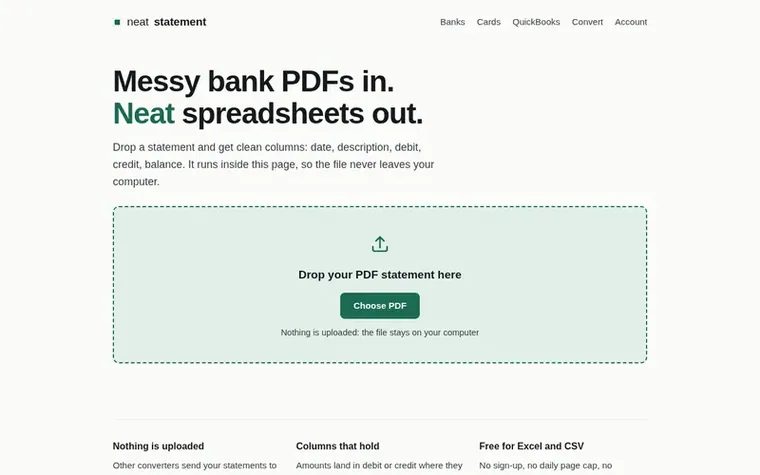
Homepage of neatstatement
neatstatement converts messy bank and credit card statement PDFs into clean, organized spreadsheets with properly separated columns for date, description, debit, credit, and balance. The tool runs entirely in your browser using JavaScript, meaning your financial documents never leave your computer or get sent to any server.
In addition to Excel and CSV exports, neatstatement can generate files in accounting software formats including QuickBooks (.qbo), Quicken (.qfx), and OFX formats for use with GnuCash and other financial applications. The converter handles layout quirks like wrapped descriptions and split date columns, and includes built-in reconciliation checking to verify that conversion errors haven't occurred.
The tool works with text-based PDFs from any bank. It explicitly refuses to process scanned statements or photographs of statements, as these would require error-prone optical character recognition on financial figures. Users can verify that no upload occurs by checking their browser's network tab or by converting statements while offline.
Typeset features
Converts PDFs to Excel, CSV, QBO, QFX, and OFX formats
Handles wrapped text and split columns correctly
Verifies accuracy with balance reconciliation checking
Supports statements from any bank
No sign-up required for Excel and CSV exports
Explicitly refuses scanned statements to prevent errors
Pricing
Pricing model: Freemium
Free for Excel and CSV exports with no limits. Accounting software formats (QBO, QFX, QIF, OFX) are free for one statement per day; Pro is $9 a month for unlimited exports in these formats.
No. The PDF is read by JavaScript running on your own machine. Nothing from the statement is sent to a server. You can verify this by checking your browser's network tab while converting or by converting while offline.
Does it work with scanned statements?
No. Scanned statements are photographs of pages with no readable text, only pixels. Optical character recognition on financial figures is unreliable and can turn 8 into 3, creating spreadsheets that look correct but contain errors. If you can select numbers with your cursor in a PDF viewer, it will work; if not, ask your bank for the text-based PDF from online banking.
Which banks are supported?
Any text-based PDF works regardless of the bank. The listed banks have had their specific layouts verified against real statements to handle quirks like wrapped descriptions and split date columns correctly.
Is there a file size or page limit?
Excel and CSV exports have no page limit, no account requirement, and no watermark. Accounting software formats (QBO, QFX, QIF, OFX) are free for one statement per day; the Pro plan at $9 a month removes that limit.
How do I know the numbers came out right?
Check the balance column by taking any row, adding the debit or credit to the balance above it, and verifying it matches. If every row reconciles, the columns are correct. This single check catches almost every kind of conversion error.
Leave a review for neatstatement
No review of neatstatement set in type yet. Set the first.

 ReadHere
 PDFtoMD
 FirstClickTools
 Aservus