Convert video, audio, and image files in your browser without uploading to a server. 2,478+ free tools powered by FFmpeg.wasm and WebCodecs, with no signup
Ahrefs Domain Rating set in type 17 Nov 2026, reset 17 Nov 2026.
Convert video, audio, and image files in your browser without uploading to a server. 2,478+ free tools powered by FFmpeg.wasm and WebCodecs, with no signup
The story so far
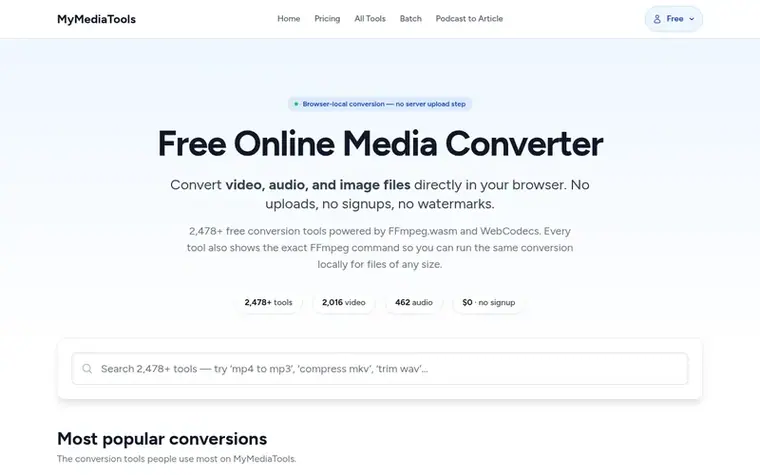
Homepage of MyMediaTools
MyMediaTools is a free online media converter that processes files locally in your browser using WebAssembly and hardware-accelerated WebCodecs. It offers 2,478+ tools to convert, compress, trim, and process video, audio, and image files across 50 video formats and 21 audio formats—including MP4, MOV, MKV, MP3, WAV, and FLAC—without ever uploading files to a server. Every tool displays the exact FFmpeg command used, so users can copy it and run conversions locally on files of any size on their desktop. The service is designed for creators, developers, journalists, and anyone handling sensitive media who needs fast, private conversions without account creation or watermarks.
Typeset features
2,478+ conversion tools across video, audio, and image formats
Displays exact FFmpeg command for each conversion
Supports 50 video and 21 audio formats
Compress, trim, extract audio, resize, rotate, and mute media files
Hardware-accelerated conversion with WebCodecs
Bulk conversion tool for high-volume processing
Works on all modern browsers and devices
No signup, no watermarks, no email collection
Pricing
Pricing model: Freemium
Free: 3 eligible single-file conversions per UTC day, resets at midnight UTC. Day Pass: $4.99 for 24 hours of site-wide access with Bulk conversion and no ads. Pro: $9.99/month for monthly site-wide access with Bulk conversion and no ads. Podcast to Article: $1 for 10 transcription minutes ($0.10/mi
Want to see what MyMediaTools does next? Follow them for milestones, new products and stories by email.
MyMediaTools metrics
Set in type for mymediatools.com: Ahrefs Domain Rating and Majestic link data, with the change since the last edition.
Metric
Value
Domain Rating
22● no change since last check
Trust Flow
0● no change since last check
Citation Flow
16● no change since last check
Referring domains
4● no change since last check
External backlinks
58● no change since last check
Ahrefs Domain Rating set in type 17 Nov 2026, reset 17 Nov 2026. Majestic set 17 Nov 2026, reset 17 Nov 2026. Link data typeset by Majestic. Trust Flow, Citation Flow and Topical Trust Flow are trademarks of Majestic-12 Ltd.
MyMediaTools domain colophon
Read the colophon
From the registry's public RDAP record, checked 17 Nov 2026, 08:50 UTC.
Measured after MyMediaTools went live on Zivaro Launch on 17 November 2026.
Domain Rating (Ahrefs)
22
First measured 17 Nov 2026
Trust Flow (Majestic)
0
First measured 17 Nov 2026
Referring domains (Majestic)
4
First measured 17 Nov 2026
Day 0 since launch. Next receipt: day 30, 17 Dec 2026. These are measurements, not proof of cause: many things move these numbers. Figures we have not measured are left out.
Free includes 3 successful eligible single-file conversions per UTC day, resetting at midnight UTC. Failed conversions do not use the allowance. Bulk conversions require a Day Pass or Pro subscription. No signup is required for free conversions, and media processing stays in your browser on every plan.
Do my files get uploaded to a server?
No. Every conversion runs locally in your browser using WebAssembly (FFmpeg.wasm) or WebCodecs (Mediabunny). MyMediaTools does not upload files for conversion. Eligible free converter pages may load third-party advertising; turn ads off before selecting sensitive media or use verified ad-free paid access.
What is the file size limit?
Browser memory caps the practical limit at roughly 1 GB for FFmpeg.wasm. Mediabunny uses streaming and has no fixed ceiling. For any file size, every tool page displays the exact FFmpeg command you can copy and run locally on macOS, Windows, or Linux.
What formats are supported?
MyMediaTools supports 50 video formats and 21 audio formats including MP4, MOV, MKV, WebM, AVI, WMV, FLV, MP3, WAV, FLAC, AAC, M4A, OGG, and many more.
Is MyMediaTools safe for sensitive files?
Yes. Because nothing is uploaded, MyMediaTools is suitable for confidential, NDA-restricted, or regulated content such as medical, legal, or financial recordings. Files are processed in an isolated browser tab and discarded when you close it.
Leave a review for MyMediaTools
No review of MyMediaTools set in type yet. Set the first.

 Markovo
 Pixverter
 Bank Statement Converter
 Tessil