Ahrefs Domain Rating set in type 18 Nov 2026, reset 18 Nov 2026.
A Mac app for private AI dictation and meeting notes. Hold right Command, speak in any of 99 languages, and polished text appears in any app—no cloud, no
The story so far
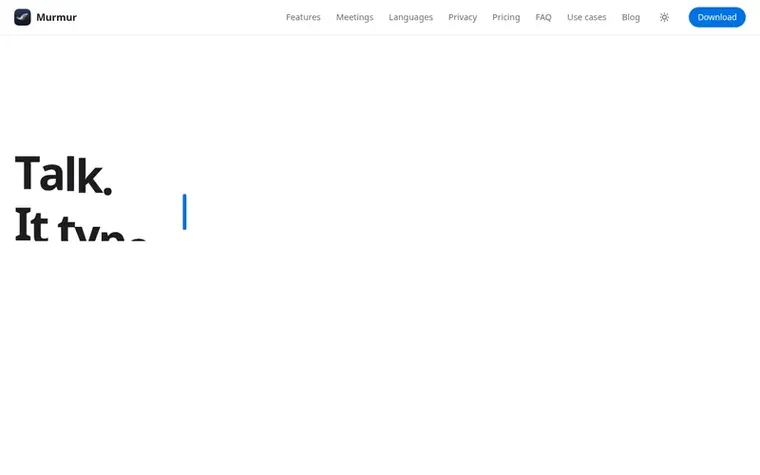
Homepage of Murmur
Murmur is a Mac application that transcribes speech to text using on-device AI models. You hold the right Command key and dictate; polished text appears in any app with a text field. It supports up to 99 languages with automatic detection and works entirely offline after a one-time model download.
The app includes meeting notes for calls on Zoom, Google Meet, Teams, FaceTime, Slack and other platforms. It records your microphone and the call audio on your Mac, transcribes who said what, and can write summaries with Apple Intelligence on macOS 26. No bot joins the call and no data is uploaded.
Murmur offers voice editing, custom snippets, offline operation, and free updates for version 1. It costs $19 as a one-time purchase, works on up to 3 Macs, and includes meeting notes with no minutes limit. The first 2,000 words are free to try.
Typeset features
Works in any app with a text field
Meeting notes for Zoom, Meet, Teams, FaceTime and Slack
Entirely offline after model download
Custom snippets for phrases
Works on up to 3 Macs
Free automatic updates for version 1
Meeting summaries with action items on macOS 26
No account or login required
Pricing
Pricing model: Paid
$19 one-time purchase at launch price, rising to $29 after launch copies run out. First 2,000 words free with no sign-up; add email for 3,000 more words. Meeting notes included. 7-day refund available.
Want to see what Murmur does next? Follow them for milestones, new products and stories by email.
Murmur metrics
Set in type for saymurmur.app: Ahrefs Domain Rating and Majestic link data, with the change since the last edition.
Metric
Value
Domain Rating
6▲ +1 (up) since last check
Trust Flow
6● no change since last check
Citation Flow
18● no change since last check
Referring domains
7● no change since last check
External backlinks
33● no change since last check
Ahrefs Domain Rating set in type 18 Nov 2026, reset 18 Nov 2026. Lead topic: Society/People (6). Majestic set 16 Nov 2026, reset 16 Nov 2026. Link data typeset by Majestic. Trust Flow, Citation Flow and Topical Trust Flow are trademarks of Majestic-12 Ltd.
Murmur domain colophon
Read the colophon
From the registry's public RDAP record, checked 17 Nov 2026, 15:55 UTC.
Measured after Murmur went live on Zivaro Launch on 16 November 2026.
Domain Rating (Ahrefs)
6▲ +1 (up) since launch
5 at launch (16 Nov 2026), 6 on 18 Nov 2026
Trust Flow (Majestic)
6
First measured 16 Nov 2026
Referring domains (Majestic)
7
First measured 16 Nov 2026
Day 2 since launch. Next receipt: day 30, 16 Dec 2026. These are measurements, not proof of cause: many things move these numbers. Figures we have not measured are left out.
Murmur runs on Apple silicon Macs with macOS 14 Sonoma or later. On macOS 26 Tahoe with Apple Intelligence turned on, you get Apple's speech model, AI polish, voice editing and meeting summaries. On Sonoma and Sequoia, Murmur dictates with Parakeet or Whisper and tidies text with its own rules.
Does Murmur work offline?
Yes. After a one-time model download of 480 to 630 MB, dictation and meeting notes run entirely on your Mac, even in Airplane Mode.
How do meeting notes work?
When a call app like Zoom, Meet, Teams, FaceTime or Slack starts using your microphone, Murmur offers to take notes. It records your microphone and the call audio on your Mac, transcribes who said what, and with Apple Intelligence writes a summary with action items and decisions. No bot joins the call.
How does the free trial work?
Your first 2,000 words are free with no sign-up. Add your email for 3,000 more words. After that it costs $19 once. Your history, notes and settings stay either way.
Can I move my license to a new Mac?
Yes. The license works on 3 Macs. You can deactivate the old one in Settings to free up a slot.
Leave a review for Murmur
No review of Murmur set in type yet. Set the first.

 Poracode
 Zevqi
 jobfit
 Text2SQL.ai