Can I try Haptiker before I buy?
Yes, Haptiker includes a 7-day free trial with every feature enabled. No account or payment details are needed to try it.

Productivity & Personal Tools
Trackpad edge sliders for volume, brightness and keyboard backlight
Ahrefs Domain Rating set in type 25 Oct 2026, reset 25 Oct 2026.
| Metric | Value |
|---|---|
| Domain Rating | 0 no change since last check |
| Trust Flow | 2 no change since last check |
| Citation Flow | 22 no change since last check |
| Referring domains | 12 no change since last check |
| External backlinks | 89 no change since last check |
Ahrefs Domain Rating set in type 25 Oct 2026, reset 25 Oct 2026. Lead topic: Computers/Internet/On the Web (2). Majestic set 25 Oct 2026, reset 25 Oct 2026. Link data typeset by Majestic. Trust Flow, Citation Flow and Topical Trust Flow are trademarks of Majestic-12 Ltd.
| Domain age | 26 days |
|---|---|
| Registered | |
| Expires | |
| Registrar | Namecheap Inc. |
| DNSSEC | Not signed |
A macOS menu bar app that turns your Mac trackpad edges into controls for volume, display brightness, keyboard backlight and app switching.
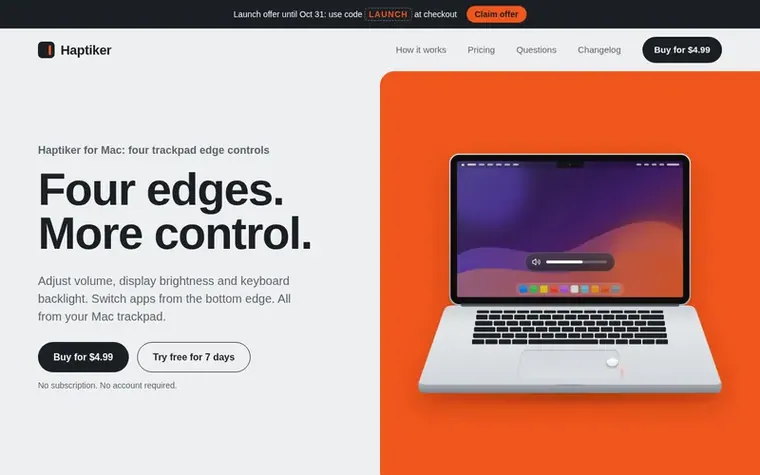
Haptiker is a macOS menu bar app that transforms your Mac trackpad into a multi-function control center. Slide one finger along the right edge to adjust volume, the left edge to control display brightness (including external monitors on Apple Silicon Macs), and the top edge to change keyboard backlight. You can also enable app switching from the bottom edge to flick between recent apps or browse all applications. The app intelligently distinguishes intentional edge gestures from normal scrolling and pointing, using gesture guards that require one finger starting on the edge and sliding along it. Haptiker costs $4.99 as a one-time purchase with a 7-day free trial, works on up to 3 Macs per license, and requires macOS 12 or later on Apple Silicon or Intel Macs with a built-in Force Touch trackpad or Magic Trackpad.
Pricing model: Paid
$4.99 one-time purchase (launch price, regular price $7.99). 7-day free trial of all features. One license works on up to 3 Macs.
Yes, Haptiker includes a 7-day free trial with every feature enabled. No account or payment details are needed to try it.
Haptiker costs $4.99 as a one-time purchase at the launch price (regular price $7.99). There is no subscription and no account required.
One license key activates up to 3 Macs. To move it to another Mac, you need to deactivate it in Haptiker's License settings first.
Haptiker requires macOS 12 or later on an Apple Silicon or Intel Mac with a built-in Force Touch trackpad or Magic Trackpad. Launch at login needs macOS 13 or later.
The app has no analytics, tracking or ads. It only goes online to activate, check or deactivate a license key and to check for updates.
No review of Haptiker set in type yet. Set the first.
Reviews are free to set. None are paid for. Read the proofs
Readers' notes · Reprints · Share the page · Your company in print? Claim it · Report a misprint
Haptiker has a free listing. The owner can unlock the full profile with a paid launch for $5:
 Resume Studio
AI-powered resume builder with free scoring, job tailoring, and mock interviews
 Owldo
OwldoNotes, tasks, and publishing in one offline-first app
 GanttFlow™
Fast, no-bloat Gantt chart maker for project timelines
 Deeply
Make time feel lighter
Can we set one analytics cookie to count which pages readers flip to? Nothing is set unless you say yes. Privacy