Ahrefs Domain Rating set in type 25 Oct 2026, reset 25 Oct 2026.
Fontsight metrics
Set in type for fontsight.xyz: Ahrefs Domain Rating and Majestic link data, with the change since the last edition.
Metric
Value
Domain Rating
0● no change since last check
Trust Flow
0● no change since last check
Citation Flow
0● no change since last check
Referring domains
0● no change since last check
External backlinks
0● no change since last check
Ahrefs Domain Rating set in type 25 Oct 2026, reset 25 Oct 2026. Majestic set 25 Oct 2026, reset 25 Oct 2026. Link data typeset by Majestic. Trust Flow, Citation Flow and Topical Trust Flow are trademarks of Majestic-12 Ltd.
Fontsight domain colophon
From the registry's public RDAP record, checked 25 Oct 2026, 17:50 UTC.
A free Chrome extension that identifies fonts on websites, shows who made them, and provides the CSS to use them.
The story so far
Homepage of Fontsight
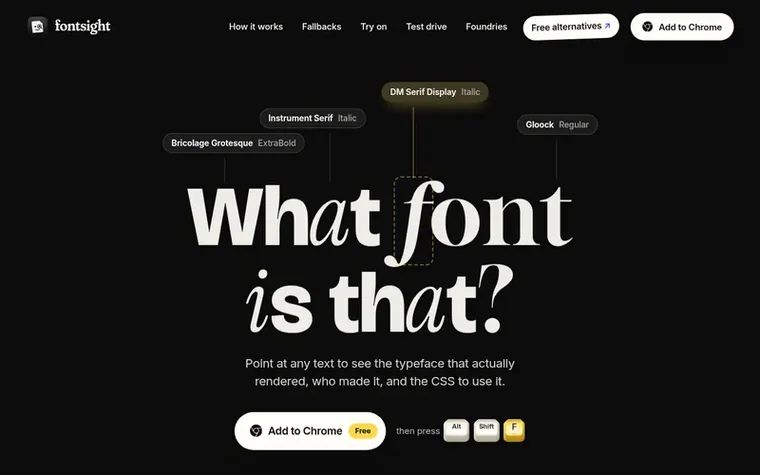
Fontsight is a free Chrome extension that identifies fonts on any website. Point at text to instantly see the typeface that actually rendered, its weight and size, who created it, and the CSS code needed to use it. The extension includes a directory of over 7,900 font families from 197 type houses plus the in-house fonts of 98 brands. Users can test different fonts on any website by swapping them in real time, adjusting size, weight, and spacing. Fontsight also finds free alternatives to paid fonts, measuring paid typefaces and matching them with free look-alikes from Google Fonts.
Typeset features
Identify fonts by pointing at text on any website
Shows the actual font that rendered, not just CSS fallbacks
Swap fonts and test alternatives on any website in real time
Built-in directory of 7,900+ font families from 197 type houses
Find free alternatives to paid fonts
Test fonts with waterfall, paragraph and glyph views
Does it show the font that actually rendered, or just the CSS?
Fontsight shows the font that actually rendered. CSS lists fonts in order of preference, and the browser draws with the first one it has. Fontsight checks which font that was and crosses out the fallbacks it skipped.
Can I try a different font on a website?
Yes. Pin any text and press Swap to test different fonts. You can choose from fonts the page already has, fonts installed on your computer, any Google Font, or your own font file. Adjust size, weight, leading and tracking, then copy the CSS. Press Esc to restore the page exactly.
Can it tell me where to get a font?
Yes. Fontsight has a built-in directory covering over 7,900 font families from 197 type houses, plus the in-house fonts of 98 brands. Each font is marked as free, commercial or in-house, with a link to the family's own page.
Is Fontsight free?
Yes. Fontsight is free with no account required.
How do I find out what font a website is using?
Add Fontsight to Chrome, open the page, and press ⌥⇧F on a Mac or Alt+Shift+F elsewhere. Point at any text and Fontsight shows the typeface, its weight and size, who made it, and the CSS to use it. You can also click the toolbar icon or right-click and choose “Identify this font”.
Find Fontsight online
Leave a review for Fontsight
No review of Fontsight set in type yet. Set the first.
 Web4 Browser
 Browsely
 Alias Browser™