Ahrefs Domain Rating set in type 14 Nov 2026, reset 14 Nov 2026.
A Chrome extension that lets you copy files from Google Drive, Dropbox, OneDrive, SharePoint and Gmail, then paste them directly into websites or folders on
The story so far
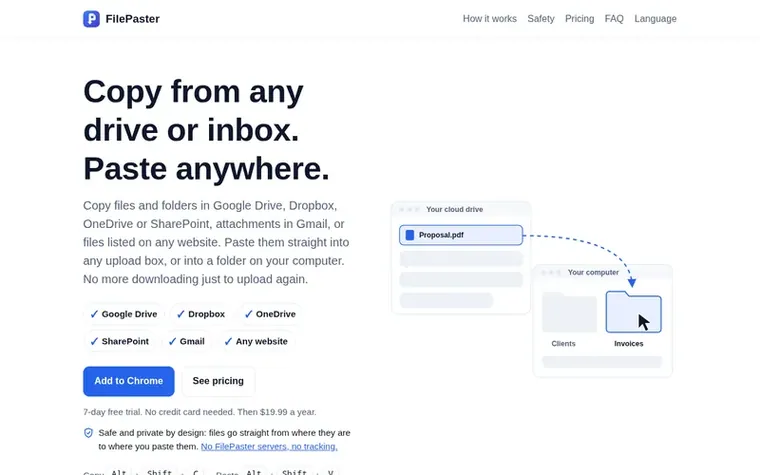
Homepage of FilePaster
FilePaster is a Chrome extension that simplifies moving files between cloud services and websites. Instead of downloading files from Google Drive, Dropbox, OneDrive, SharePoint or Gmail and then uploading them elsewhere, you copy them with a keyboard shortcut and paste them directly into any upload box or folder on your computer.
The extension works with the accounts you're already signed into in Chrome, requiring no new logins or permissions. Files travel directly from their source to your destination with no FilePaster servers involved, keeping your data private. You can copy entire folders, Gmail attachments, and files from any website that lists downloads with links.
FilePaster includes optional image and video compression that happens on your computer. Photos can be reduced by 70–85% and videos can be compressed to fit upload limits like Gmail's 25 MB or Discord's 10 MB. The extension works on Windows, macOS, Linux and ChromeOS, and offers a 7-day free trial followed by a $19.99 annual subscription.
Typeset features
Copy from Google Drive, Dropbox, OneDrive, SharePoint, Gmail and websites
Paste into any website upload box or computer folder
Image compression reducing file size by 70–85%
Video compression to fit upload limits of 8, 10, 25, 50 or 100 MB
Drag and drop files between tabs
Copy Gmail attachments and photos from emails
Support for up to 3 browsers
Convert Google Docs, Sheets and Slides to Word, Excel and PowerPoint
No sign-in required, uses existing browser sessions
Pricing
Pricing model: Free trial
FilePaster: $19.99 USD per year. 7-day free trial with no credit card required.
Want to see what FilePaster does next? Follow them for milestones, new products and stories by email.
FilePaster metrics
Set in type for filepaster.com: Ahrefs Domain Rating and Majestic link data, with the change since the last edition.
Metric
Value
Domain Rating
0● no change since last check
Trust Flow
0● no change since last check
Citation Flow
14● no change since last check
Referring domains
1● no change since last check
External backlinks
2● no change since last check
Ahrefs Domain Rating set in type 14 Nov 2026, reset 14 Nov 2026. Majestic set 14 Nov 2026, reset 14 Nov 2026. Link data typeset by Majestic. Trust Flow, Citation Flow and Topical Trust Flow are trademarks of Majestic-12 Ltd.
FilePaster domain colophon
Read the colophon
From the registry's public RDAP record, checked 14 Nov 2026, 12:50 UTC.
Google Drive, Dropbox, OneDrive (personal) and SharePoint (work and school accounts, including OneDrive for work and team-site libraries). You can copy from any of them with the same shortcut and paste into any website or a folder on your computer.
Do my files go through FilePaster servers?
No. Files go straight from your drive to your computer or the website you paste into. FilePaster doesn't run a server that could receive them.
How does the free trial work?
You get 7 days of full access from the day you install the extension. No card and no sign-up needed. When the trial ends, pasting stops until you subscribe for $19.99 a year.
Do I need to sign in or give FilePaster access to my accounts?
No. FilePaster uses the accounts you're already signed in to in Chrome, the same way each drive's Download button does. It only downloads the files you copy or drag, and it never changes anything in your drives.
Which browsers does FilePaster work in?
FilePaster is a Chrome extension. It works in Google Chrome on Windows, macOS, Linux and ChromeOS. Other Chromium-based browsers may work but aren't officially supported.
Leave a review for FilePaster
No review of FilePaster set in type yet. Set the first.

 Eofent Capture
 Grabgram
 FakerFill