What kind of documents can be parsed with Docparser?
Docparser can extract data from a wide variety of documents, including invoices, purchase orders, bills of lading, bank statements, work orders, and more.
Analytics & Data
Automate data extraction from PDFs and documents
Ahrefs Domain Rating set in type 17 Nov 2026, reset 27 Oct 2026.
Docparser helps extract important data from Word, PDF, CSV, XLS, TXT, XML, and image files, sending results to Excel, Google Sheets, and hundreds of other applications.
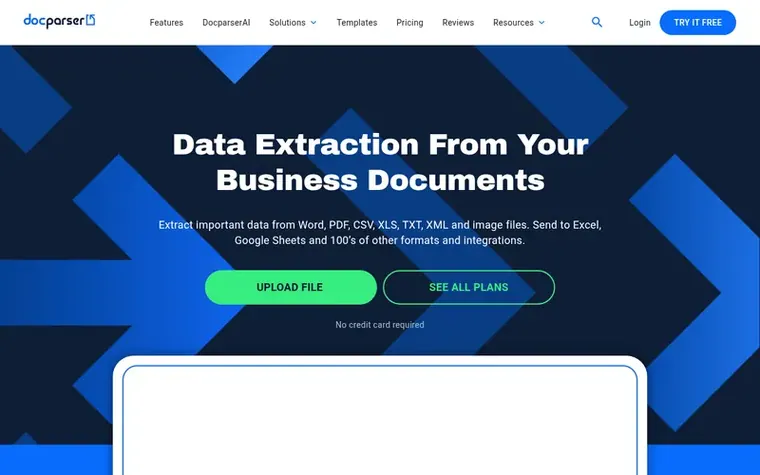
Docparser is a document data extraction platform that automates the process of pulling structured data from business documents. Using Zonal OCR technology, advanced pattern recognition, and anchor keywords, it identifies and extracts data from Word, PDF, and image-based documents. Users can define extraction rules without coding, selecting from preset rules specific to document types or creating custom parsing rules. The platform supports multiple document types including invoices, purchase orders, bank statements, contracts, HR forms, and shipping documents. Extracted data can be downloaded in multiple formats (CSV, Excel, JSON, XML) or integrated with thousands of cloud applications via API and webhooks.
Pricing model: Paid
Free 14-day trial with no credit card required. Monthly plans start at $39/month (Starter with 100 credits), $74/month (Professional with 250 credits), $159/month (Business with 1000 credits), or Enterprise upon request. Annual plans offer 20% savings.
Want to see what Docparser does next? Follow them for milestones, new products and stories by email.
| Metric | Value |
|---|---|
| Domain Rating | 63 −1 (down) since last check |
| Trust Flow | 30 no change since last check |
| Citation Flow | 31 no change since last check |
| Referring domains | 1,062 no change since last check |
| External backlinks | 4,956 no change since last check |
Ahrefs Domain Rating set in type 17 Nov 2026, reset 27 Oct 2026. Lead topic: Computers/Data Formats (29). Majestic set 3 Oct 2026, reset 3 Oct 2026. Link data typeset by Majestic. Trust Flow, Citation Flow and Topical Trust Flow are trademarks of Majestic-12 Ltd.
| Domain age | 11 years |
|---|---|
| Registered | |
| Expires | |
| Registrar | NameCheap, Inc. |
| DNSSEC | Not signed |
Measured after Docparser went live on Zivaro Launch on 3 October 2026.
Day 45 since launch. Next receipt: day 60, 2 Dec 2026. These are measurements, not proof of cause: many things move these numbers. Figures we have not measured are left out.
Free tips from Zivaro Launch for getting ready, launch day, the week after and what to do next.
Docparser can extract data from a wide variety of documents, including invoices, purchase orders, bills of lading, bank statements, work orders, and more.
Docparser uses pre-built rules, specific rules for common document types, and powerful custom parsing rules to extract data. A parsing rule is a set of simple instructions that tell Docparser's parsing engine what type of data to extract.
Yes, Docparser comes with a built-in OCR engine that allows you to extract text from scanned documents. Advanced Zonal OCR techniques help you extract text data precisely from where you need it.
You can download your parsed document data directly in multiple file formats, including CSV, Excel, JSON, and XML files.
No review of Docparser set in type yet. Set the first.
Reviews are free to set. None are paid for. Read the proofs
Readers' notes · Reprints · Share the page · Your company in print? Claim it · Report a misprint
Docparser has a free listing. The owner can unlock the full profile with a paid launch for $5:
Scrape and monitor data from any website with no code
AI Agents for Enterprise Data Processing
AI-powered document and email parser for automated data extraction
 Simplescraper
No-code web scraping by dashboard and free Chrome extension, with AI extraction and website change monitoring