Does CaptainShot upload my screenshots to a server?
No. Analysis, search, OCR and AI features run locally on a compatible device. CaptainShot does not collect your screenshots.
Productivity & Personal Tools · France
Organize and find screenshots on iPhone, iPad and Mac with on-device AI
Ahrefs Domain Rating set in type 8 Nov 2026, reset 8 Nov 2026.
Native app that automatically organizes screenshots and images into searchable collections with on-device AI analysis, OCR, SmartData extraction and local
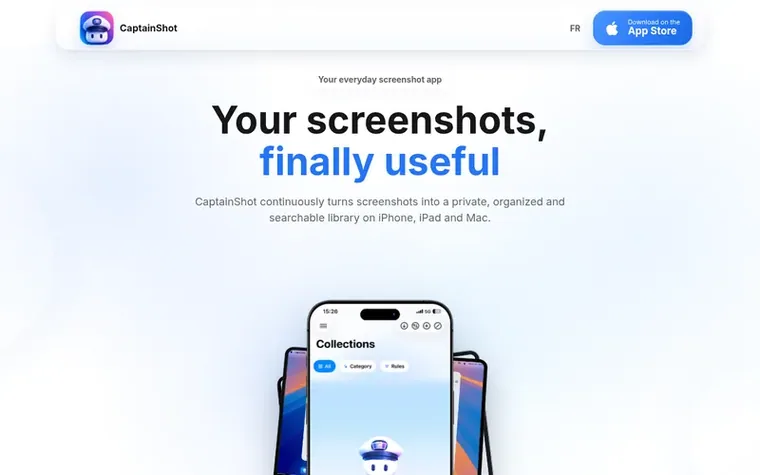
CaptainShot transforms screenshots and imported images into an organized, searchable personal library on iPhone, iPad and Mac. The app automatically detects new screenshots, classifies them into practical collections, and extracts useful structured data including dates, amounts, contacts, flights and QR codes. All analysis runs locally on the device using on-device AI, OCR, Vision and CLIP, with no screenshots sent to servers and no account required. Advanced features like summaries, translations and AI reminders are available on Apple Intelligence-compatible devices. Users can create dynamic custom selections with readable rules, search by text or visual content, annotate images, and share collections independently. The entire experience is available in nine languages with one subscription covering all three Apple platforms.
Pricing model: Freemium
Free trial: 7 days with full access. Then €0.99/month, €4.99/year, or €6.99 lifetime purchase. Pricing in USD: $0.99/month, $4.99/year, or $6.99 lifetime.
Want to see what CaptainShot does next? Follow them for milestones, new products and stories by email.
| Metric | Value |
|---|---|
| Domain Rating | 18 no change since last check |
| Trust Flow | 0 no change since last check |
| Citation Flow | 16 no change since last check |
| Referring domains | 25 no change since last check |
| External backlinks | 109 no change since last check |
Ahrefs Domain Rating set in type 8 Nov 2026, reset 8 Nov 2026. Majestic set 8 Nov 2026, reset 8 Nov 2026. Link data typeset by Majestic. Trust Flow, Citation Flow and Topical Trust Flow are trademarks of Majestic-12 Ltd.
| Domain age | 1 year |
|---|---|
| Registered | |
| Expires | |
| Registrar | NameCheap, Inc. |
| DNSSEC | Not signed |
Free tips from Zivaro Launch for getting ready, launch day, the week after and what to do next.
No. Analysis, search, OCR and AI features run locally on a compatible device. CaptainShot does not collect your screenshots.
Yes for images already available on your device. A connection may be needed to retrieve an image stored only in iCloud Photos or verify subscription-related information.
SmartData automatically extracts useful structured information from screenshots including dates and durations, phone numbers, emails, postal addresses, URLs, amounts, flights, deliveries, QR codes and business references. You can then filter, copy and find related screenshots.
Yes. CaptainShot is available on iPhone, iPad and Mac with one subscription. iCloud import can restore analysis data and match it to images already present on another device without creating duplicates.
Basic organization works without Apple Intelligence. On compatible devices, Apple Intelligence adds or improves local generative features including summaries, translations, suggested titles and AI reminders.
No review of CaptainShot set in type yet. Set the first.
Reviews are free to set. None are paid for. Read the proofs
Readers' notes · Reprints · Share the page · Your company in print? Claim it · Report a misprint
CaptainShot has a free listing. The owner can unlock the full profile with a paid launch for $5:
 Night Crew
Keep your Mac awake while AI coding agents work, then let it sleep
 Peninsula
Your MacBook notch, finally useful
 Dex
A personal CRM that brings your relationships into one place with reminders, notes, timelines, and thoughtful follow-up workflows.
 MicroNotch
On-device dictation, clipboard history and tools in your Mac's notch